User Fill
This module provides a form for users to supply information as input for subsequent workflow commands. In Training Mode, you design a form for users to fill in. In Execution Mode, when the skill reaches this module, the designed form pops up for the user to enter information, which is then written to the working folder for subsequent modules or commands to reference.
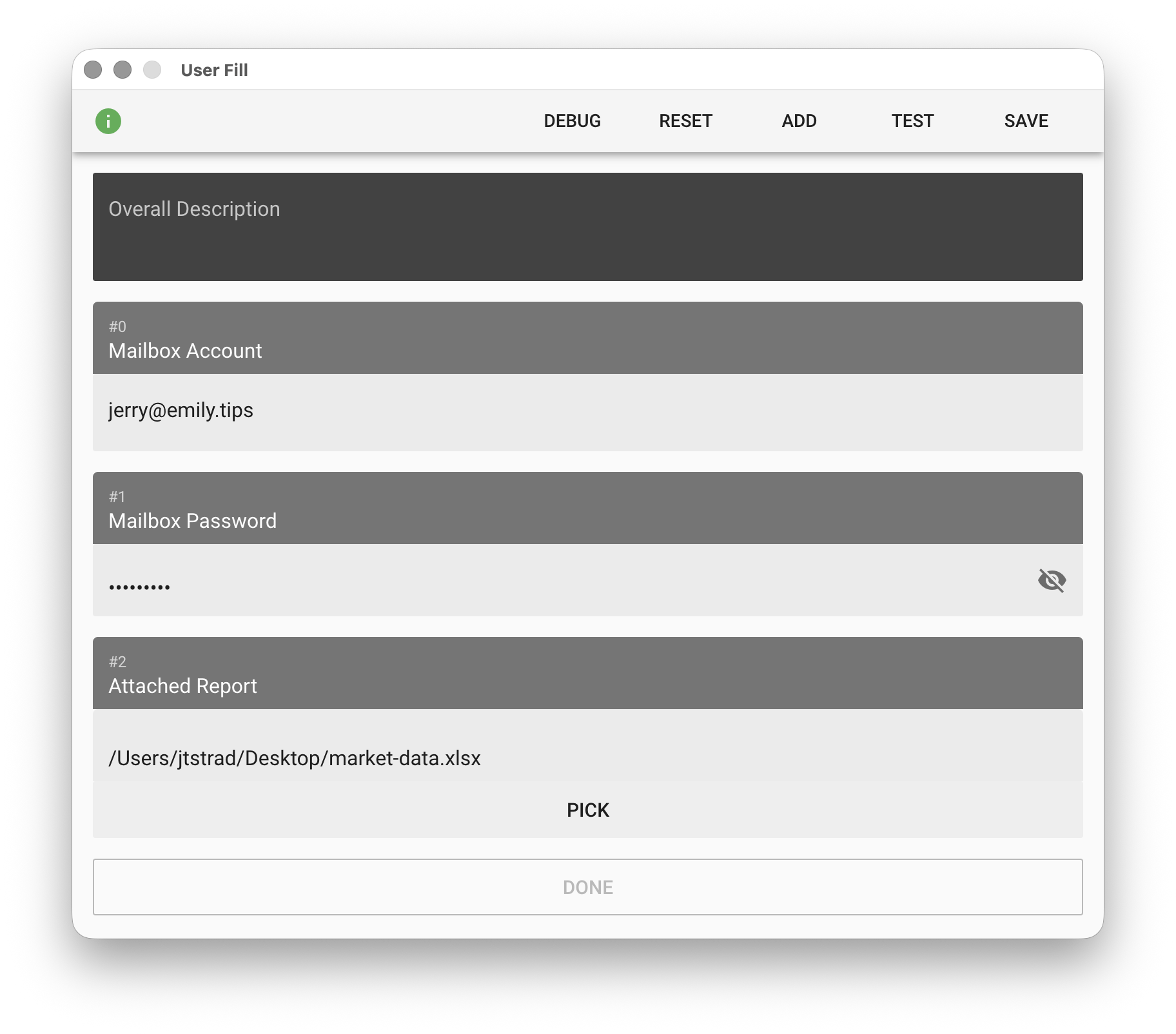
No-Code Editor
Overall Description
Provides a background description of the form during skill execution so users understand the purpose of the information being collected.
ADD
Add a form field item. There are four options: "Text", "Password", "File", and "Folder" — File and Folder let users provide a file or folder path. The item description should help users understand the purpose of the field. In Execution Mode, when the user finishes filling in and clicks "DONE", the module creates text files in the working folder in item order with the filled content, named as userfill(n).txt where n is the item sequence number #n, starting from zero.
RESET
Clear all items on the form.
TEST
Output the currently filled form item content to the working folder.