JSON API Server
Create an HTTP API server that responds with JSON object data format. Note that since this module is a server, it will keep waiting for requests unless the requester sends a DELETE request or the server stops due to a configuration error.
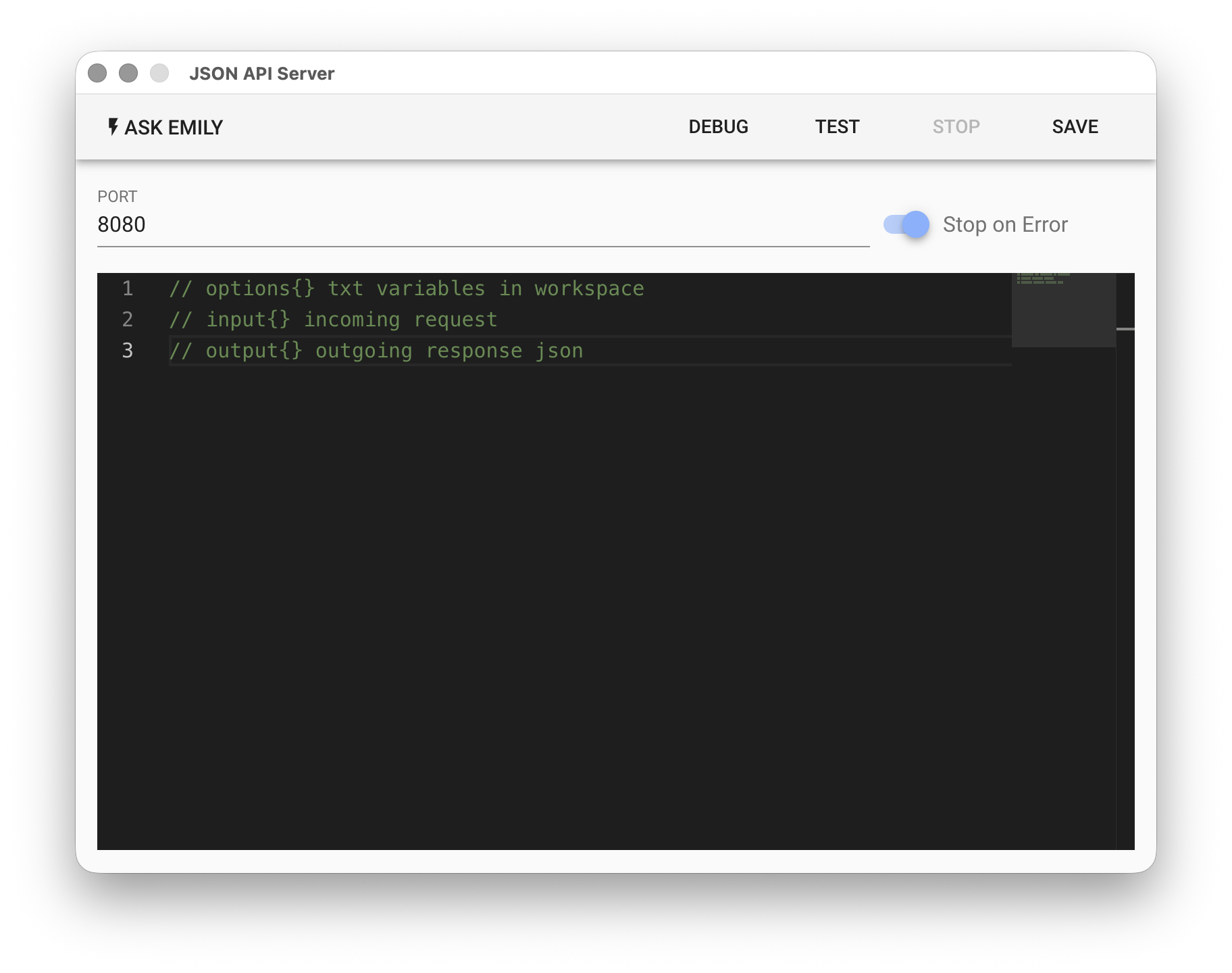
Parameters
PORT - Server port number, default is 8080.
Stop on Error - Automatically stop when the server encounters an error or exception.
Low-Code Editor
options Object
The options built-in object can be accessed directly in the script. Each key in the options object is the name of a TXT file in the working folder (without extension), and each value is the text content of that file. All files are automatically loaded when the script is executed, eliminating the need to read them manually in the script:
// Read the value of price.txt in the working folder
let price = options['price']
console.log('price:', price)
input Object
The input object represents the HTTP request currently being processed. It contains properties such as method, path, query, and body. For example, when the request is GET /orders?date=2023-08-26, the input object received is as follows:
// input object for GET /orders?date=2023-08-26 request:
{
  method: 'GET',
  path: '/orders',
  query: {
    date: '2023-08-26'
  },
  body: {
  }
}
The requester can use methods such as POST, PUT and include JSON data format in the body. In that case, input.body will be the parsed result of the JSON data sent by the requester.
output Object
The output object represents the JSON data format object to be returned to the requester. You can fill in content that conforms to JSON object format:
// Fill in the output object:
output.timestamp = moment().format('YYYY/MM/DD HH:mm:ss')
output.orders = [
  {
    orderId: 1234,
    items: ['coffee', 'milk']
  }
}
The module will automatically populate the HTTP response with the complete output content and send it.
api Object
Provides synchronous functions: api.files(), api.read(filename, encoding='utf8'), api.write(filename, text), api.remove(filename). moment.js and lodash are also built-in libraries that can be used directly. Additionally, the asynchronous function api.run(uuid) is provided to execute independent skills. Note that a new api.run can only be called after the previous api.run has completed, otherwise an exception will be returned.
To support persistent data, the synchronous function api.datastore() returns an object. All data within this object will be automatically written to datastore.json in the working folder when the server stops, and automatically loaded on the next startup:
// Get the datastore object, the server will automatically load from datastore.json in the working folder
let datastore = api.datastore()
datastore.reqNum += 1