EXCEL Filler
Write values to a specified EXCEL file. If the specified file is an absolute path, a copy will be made in the working folder before modification.
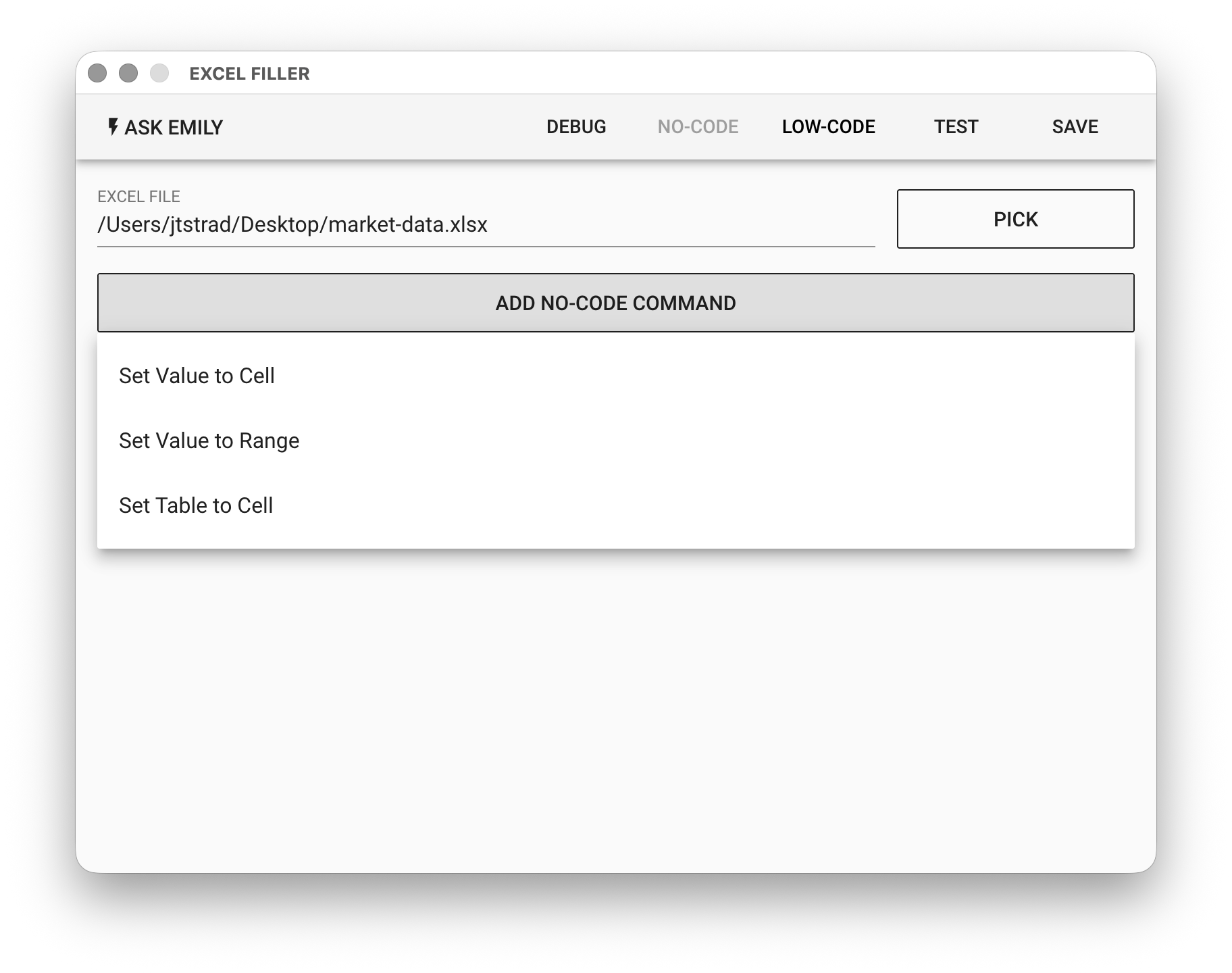
Parameters
XLSX FILE - EXCEL XLSX format input file. Click "PICK" to select a file, type the EXCEL filename in the working folder, or use the %FILENAME% variable.
No-Code Editor
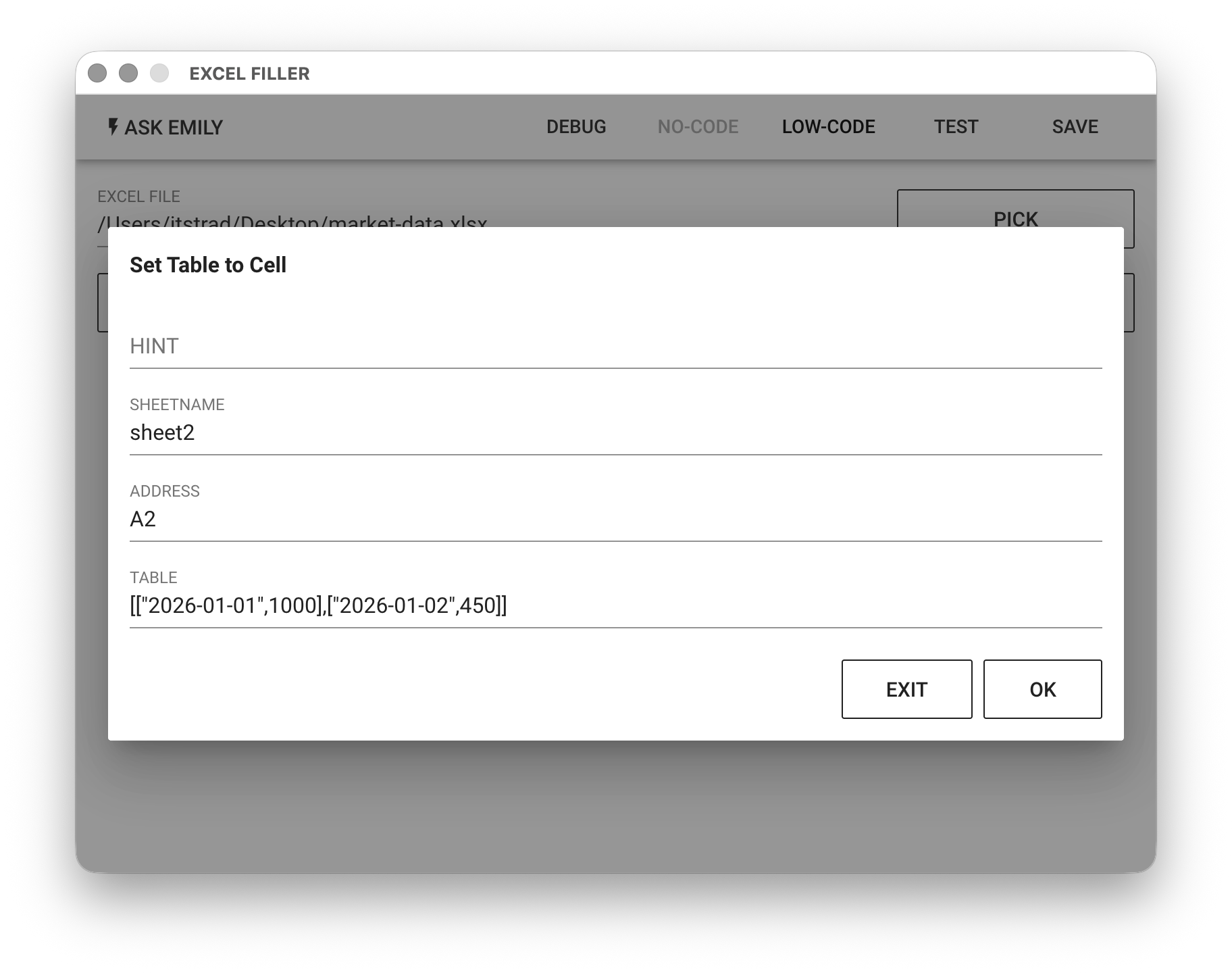
Provides No-Code commands such as: "Set Cell Value", "Set Range Value", "Set Table to Cell". For example, insert a two-dimensional table at position A2 in sheet2, where A2 is 2026-01-01, B2 is 1000, A3 is 2026-01-02, and B3 is 450.
Low-Code Editor
input Object
The input object is the EXCEL document itself. It provides the synchronous functions activeSheet(), sheet(sheetNameOrIndex), sheets().
// Return the active sheet object
let sheet0 = input.activeSheet()

// Return the sheet object named 'Products'
let sheet1 = input.sheet('Products')

// Return the third sheet object (zero-indexed)
let sheet2 = input.sheet(2)

// Return an array of all sheet objects
let sheets = input.sheets()
Sheet Object
The sheet object provides the synchronous functions cell(address), cell(rowNumber, columnNumber), range(address).
// Return cell 'A1' of the active sheet object
let cell0 = input.activeSheet().cell('A1')

// Return the cell at row 1, column 1 of the active sheet object, same as 'A1'
let cell1 = input.activeSheet().cell(1,1)

// Return the specified range of the active sheet object
let range = input.activeSheet().range('A1:C3')

// Rename the sheet named 'Products' to 'Latest Products'
input.sheet('Products').name('Latest Products')
Cell Object
The cell object provides the synchronous functions value(), value(value).
// Return the value of cell 'A1' in the active sheet object
let value0 = input.activeSheet().cell('A1').value()

// Write the string 'hello' to cell 'A1' in the active sheet object
input.activesheet().cell('A1').value('hello')

// Fill a 3x3 two-dimensional array of values into 3x3 cells starting from 'A1' as the top-left corner
let cellA1 = input.activeSheet().cell('A1')
cellA1.value([
  [1,2,3],
  [4,5,6],
  [7,8,9]
])

// Print the formula of cell 'B2'
console.log(input.activeSheet().cell('B2').formula())

// Set the formula for cell 'C3'
input.activeSheet().cell('C3').formula('A1+B2')
Range Object
The range object provides the synchronous functions value(), value(array2d).
// Return the values of the range 'A1:B2' in the active sheet object as a two-dimensional array
let values = input.activeSheet().range('A1:B2').value()

// Fill a 2x2 two-dimensional array of values into the range 'A1:B2'
input.activeSheet().range('A1:B2').value([
  [1,2],
  [3,4]
])