EXCEL Writer
Create an XLSX format file. Copy the data content from a specified EXCEL file, use the Low-Code API to modify data or styles, and generate a new output.xlsx file.
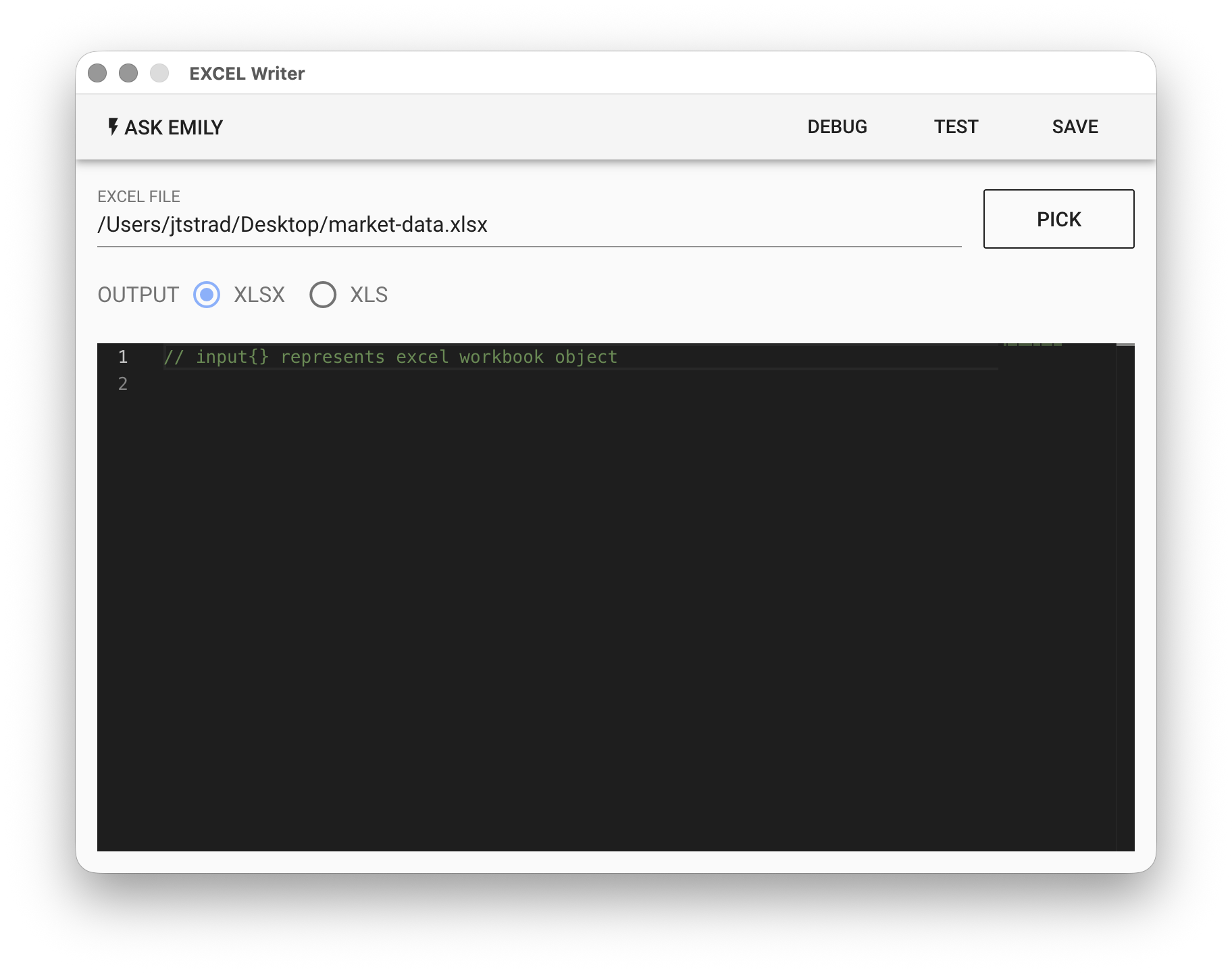
Parameters
EXCEL - EXCEL input file. Click "PICK" to select a file, type the EXCEL filename in the working folder, or use the %FILENAME% variable. The content of this file will be included in the output file output.xlsx for Low-Code processing. Leave empty if no EXCEL content is needed as a reference.
Low-Code Editor
api Object
In addition to the common file handling synchronous functions, the following synchronous functions are also provided: api.addSheet(header, rows, name), api.delSheet(name), api.sheetNames(), api.mergeCells(name, startRow, startCol, endRow, endCol), api.getCell(name, row, col), api.setCell(name, row, col, value, style), api.setColWidth(name, col, width), api.setRowHeight(name, row, height). Usage can be found in the examples below:
// List all sheets in the EXCEL file
console.log(api.sheetNames())

// Add a new sheet
let rows = [{col1: 1, col2: '2'},{col1: 3, col2: '4'}]
api.addSheet(['col2','col1'], rows, 'new sheet')

// Merge cells: B2:C3
api.mergeCells('new sheet', 1, 1, 1, 2)

// Get the value of cell A1
console.log(api.getCell('new sheet', 0, 0))

// Write value to cell B2
api.setCell('new sheet', 1, 1, 'hello')

// Set row 1 (row 0) height to 50
api.setRowHeight('new sheet', 0, 50)

// Set column C width to 0 (hidden)
api.setColWidth('new sheet', 2, 0)

// Delete sheet
api.delSheet('new sheet')
You can also use a style object to set styles for specific cells (only supports XLSX format). Its format is as follows:
// Style object
const style = {
  alignment: {
    vertical: 'bottom', // 'top', 'center'
    horizontal: 'left', // 'center', 'right'
    wrapText: false, // true
  },
  font: {
    name: 'Calibri', // font family name
    sz: 12, // font size
    color: { rgb: 'FF0000' },
    bold: false, // true
    italic: false, // true
    underline: false, // true
    strike: false, // true
  },
  fill: {
    fgColor: { rgb: '00FF00' }
  },
  border: {
    top: {
      style: 'thin', // 'thick','dashed','dotted','hair','medium'
      color: { rgb: '000000' }
    },
    bottom: {
      style: 'thin',
      color: { rgb: '000000' }
    },
    left: {
      style: 'thin',
      color: { rgb: '000000' }
    },
    right: {
      style: 'thin',
      color: { rgb: '000000' }
    }
  }
}

// Set cell A1 style
api.setCell('sheet name', 0, 0, 'style demo', style)