Google Sheets
Read and write a specified Google Spreadsheet file.
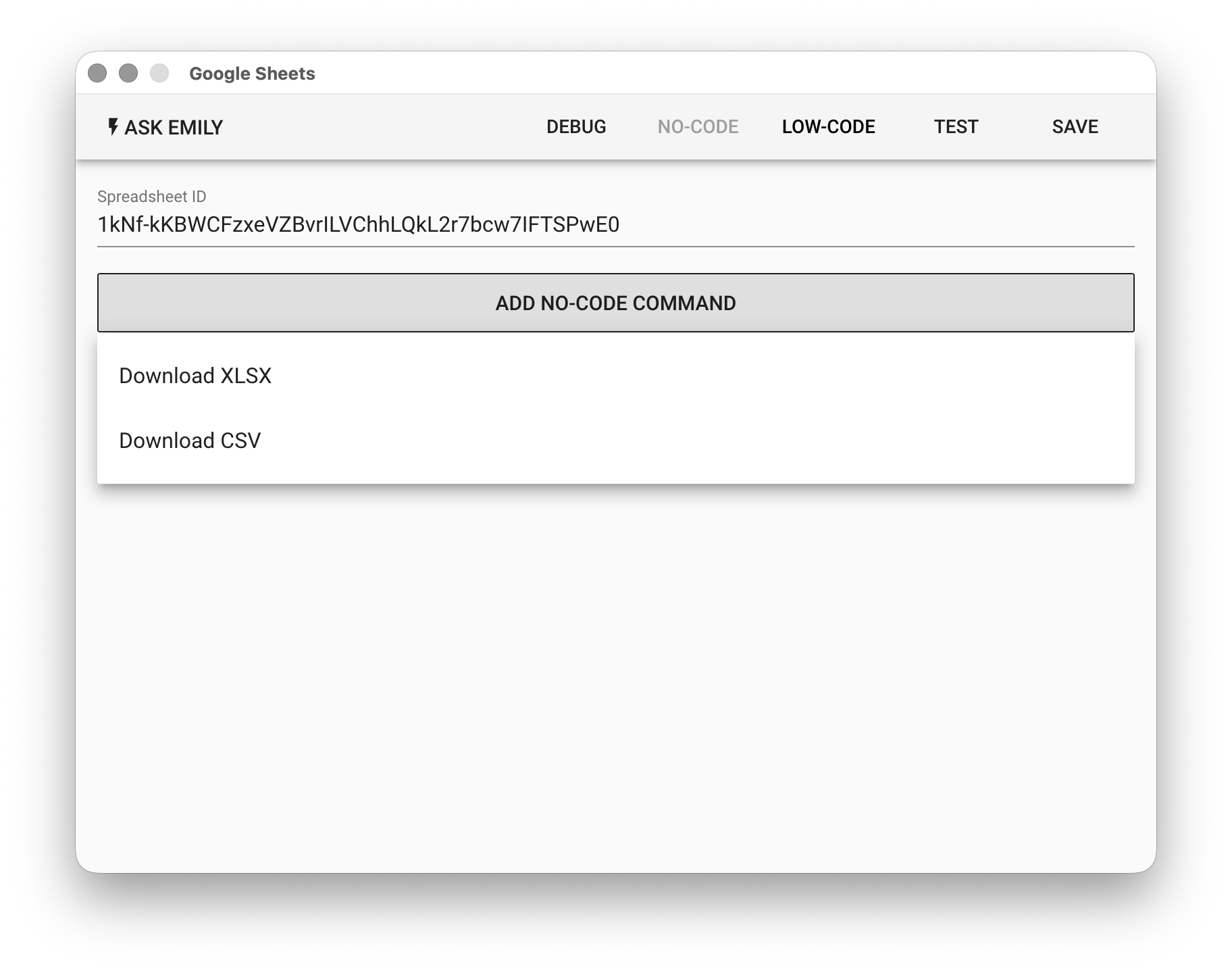
Parameters
Spreadsheet ID - The target Google Spreadsheet ID to write data to. Supports the %FILENAME% variable. It can be obtained from the browser address bar, for example:
https://docs.google.com/spreadsheets/d/[SpreadsheetID]/
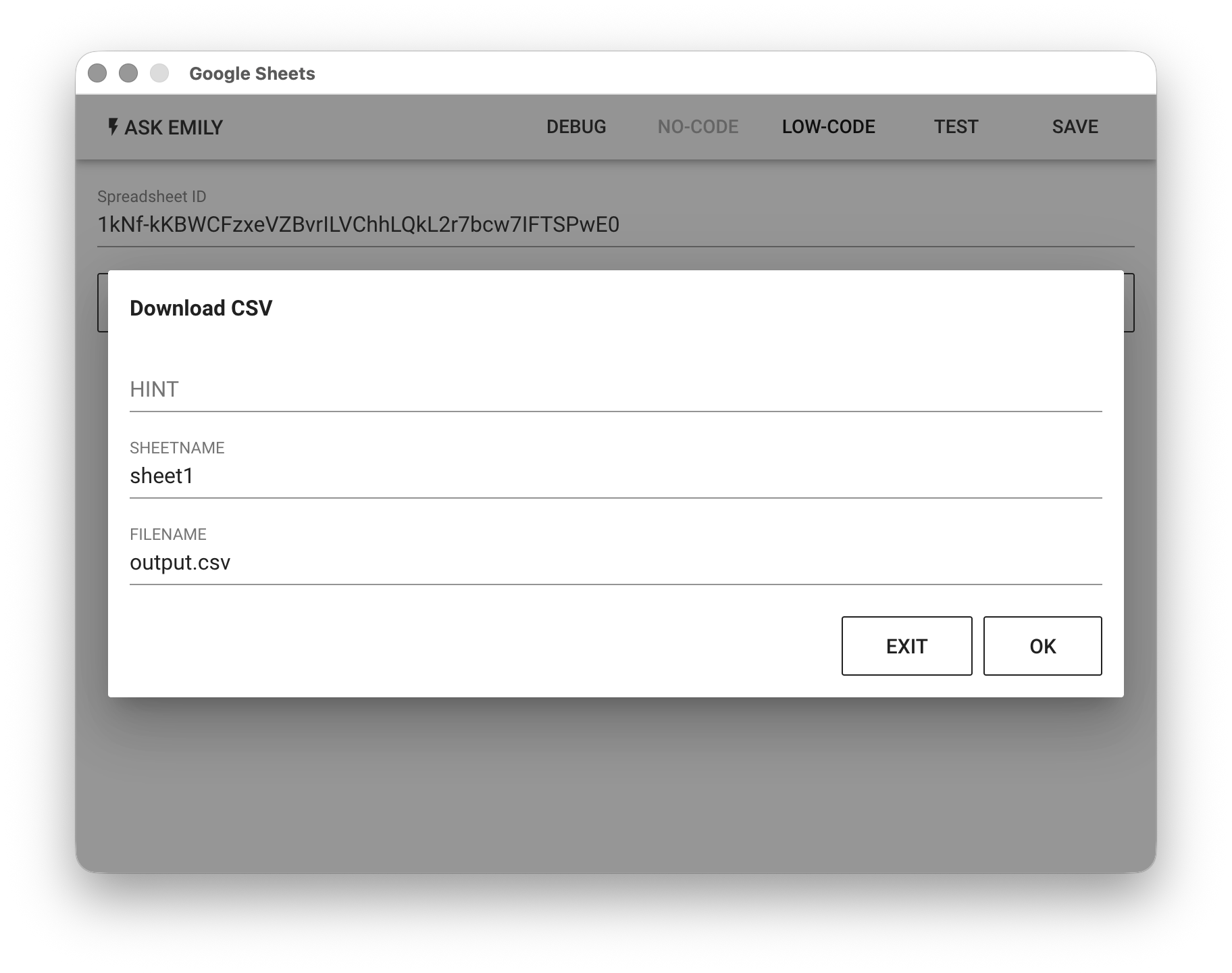
No-Code Editor
Provides no-code commands such as: "Download XLSX" and "Download CSV". For example, download the sheet1 sheet from the specified Google Spreadsheet file to the output.csv file in the working folder.
Low-Code Editor
api Object
In addition to common file handling synchronous functions api.files(), api.read(filename, encoding='utf8'), api.write(filename, text), api.remove(filename), you can use the synchronous function api.sheetNames() to get the array of spreadsheet titles:
// Print all spreadsheet titles
console.log(api.sheetNames())
Asynchronous functions include api.addSheet(header, rows, name), api.delSheet(name), api.getRows(name), api.addRows(name, rows), api.delRow(name, rowIndex), api.getCell(name, rowIndex, colIndex), api.setCell(name, rowIndex, colIndex, value), api.loadSheet(name, range):
// Add a new spreadsheet titled "new sheet"
let header = ['Name','Email']
let rows = [
  {'Name':'Alice','Email':'alice@mail.com'},
  {'Name':'Bob','Email':'bob@mail.com'}
]
await api.addSheet(header, rows, 'new sheet')

// Delete a spreadsheet titled "old sheet"
await api.delSheet('old sheet')

// Add multiple rows to the spreadsheet titled "new sheet"
let rows2 = [{'Name':'Candy','Email':'candy@mail.com'}]
await api.addRows('new sheet', rows2)

// Read data from the spreadsheet titled "new sheet"
let rows3 = await api.getRows('new sheet')
console.log(rows3)

// Delete the third row, zero-based index, excluding the header row
await api.delRow('new sheet', 2) // row of 'Candy' will be deleted

// Read a cell, zero-based index, including the header row
let cell = await api.getCell('new sheet', 2, 0)
console.log(cell) // 'Bob'

// Write to a cell, zero-based index, including the header row
await api.setCell('new sheet', 2, 0, 'Bob Wang')

// Load a sheet by name
let sheet = await api.loadSheet('sheet1')
// Or specify a range using A1 notation
sheet = await api.loadSheet('sheet1', 'A1:E5')
// Get a cell at (row, col) coordinates (0,1), coordinates are zero-based
let cell1 = await sheet.cell(0,1)
// Set the cell value
cell1.value = 'Jerry'
// Get the cell at coordinates (1,1), row/col (zero-based)
let cell2 = await sheet.cell(1,1)
// Set the cell value
cell2.value = 'New Taipei City'
// Save all edits made to the sheet
await sheet.save()