Data Security Guide
As a robot that operates computer workflows on behalf of the user, EMILY.RPA needs to run with user permissions after the operating system login, so its access to files and other OS-related resources is the same as the user's. To ensure that files accessed during skill execution don't exceed the user's expectations, a new working folder is created each time a skill runs, serving as the scope for data access. Commands and modules within a skill can directly access files in the working folder, but accessing files or folders outside the working folder requires the user to specify the file or folder path when installing the skill.
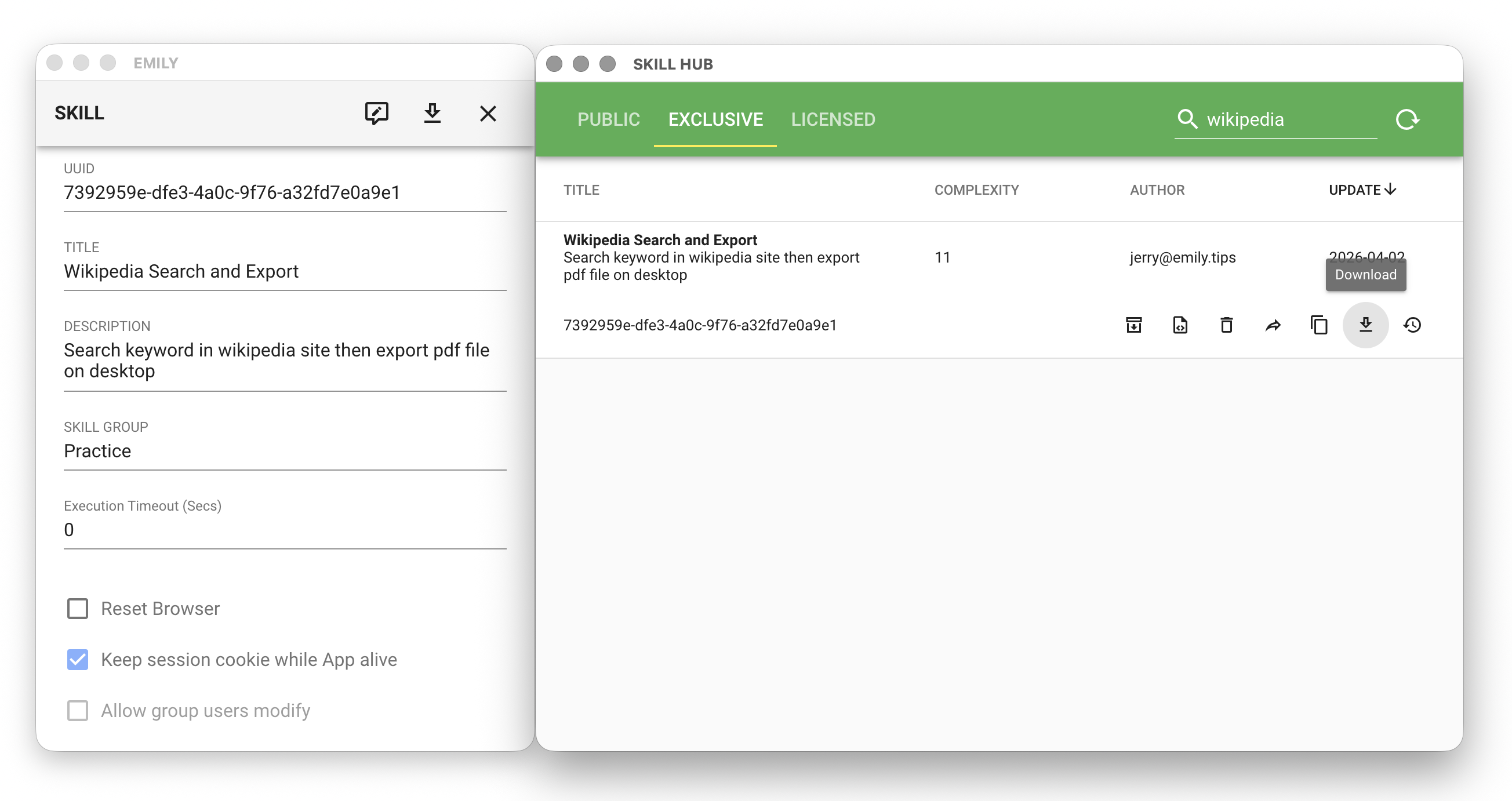
User downloads and installs a skill from SKILL HUB
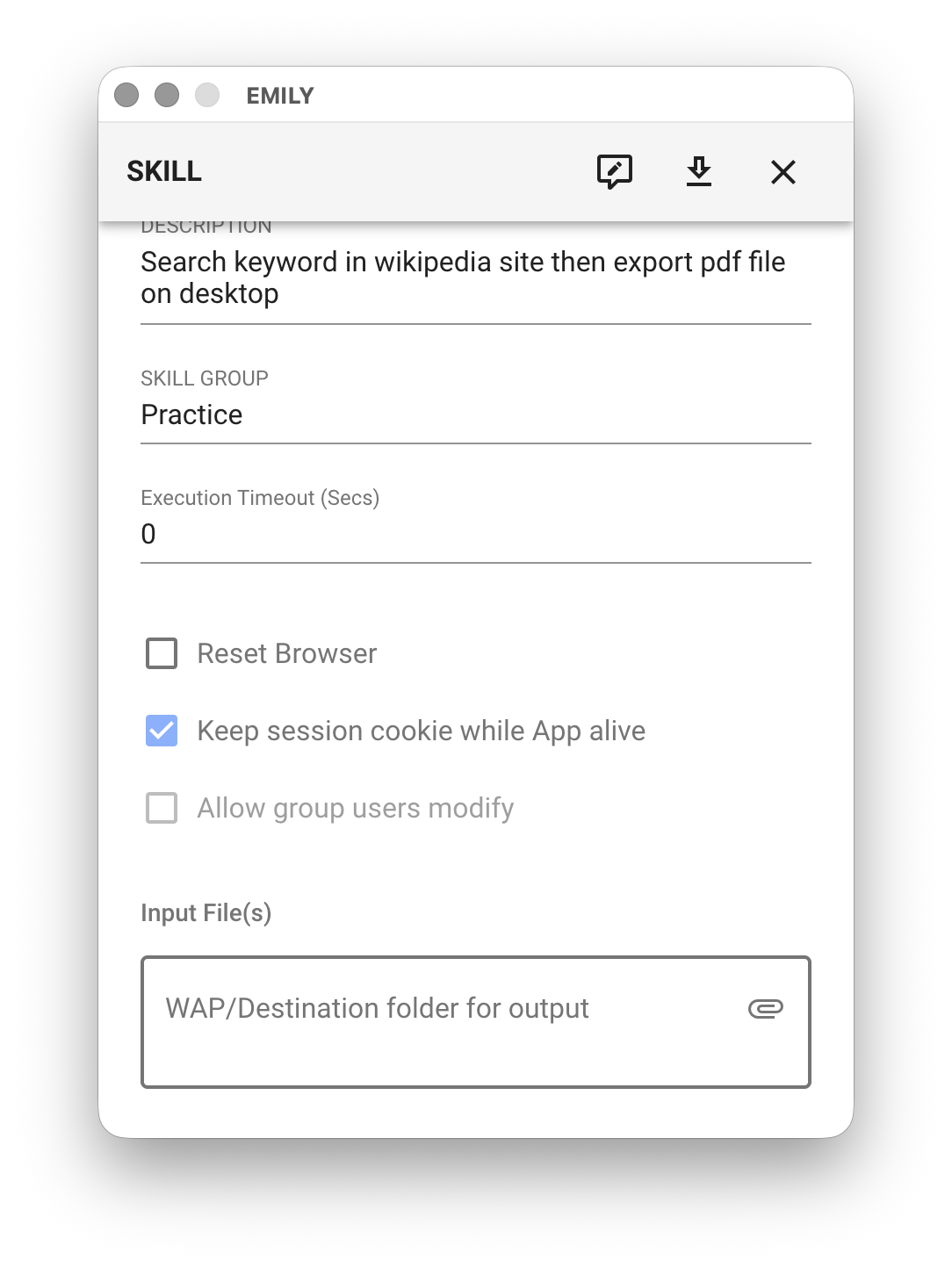
User must specify non-working-folder files or folders on the installation details page
Files or folders specified by the user during installation remain on the local machine for reference by commands or modules needed during skill execution. File contents are not uploaded.
EMILY.RPA Cloud Data Retention Policies
Account
An account is the authorization basis for using EMILY.RPA, used to verify whether the user can legally execute authorized functions. The cloud only stores the registered email address, used for sending dynamic random codes and verification — no other personal information is required. After verification, functions can only be executed from the EMILY.RPA software.
Skills
When a user finishes designing a skill, in addition to saving it locally, the skill is uploaded to the EMILY.RPA cloud server as a backup. Skill content includes the identifier, name, description, skill group and various configuration parameters, as well as workflow operation commands. The enterprise plan's group management dashboard retains all uploaded skill versions; otherwise, only the latest version is retained. When a user executes a skill, every command runs on the local computer, and files generated during execution are stored in the skill's working folder — they are not uploaded to the cloud server.
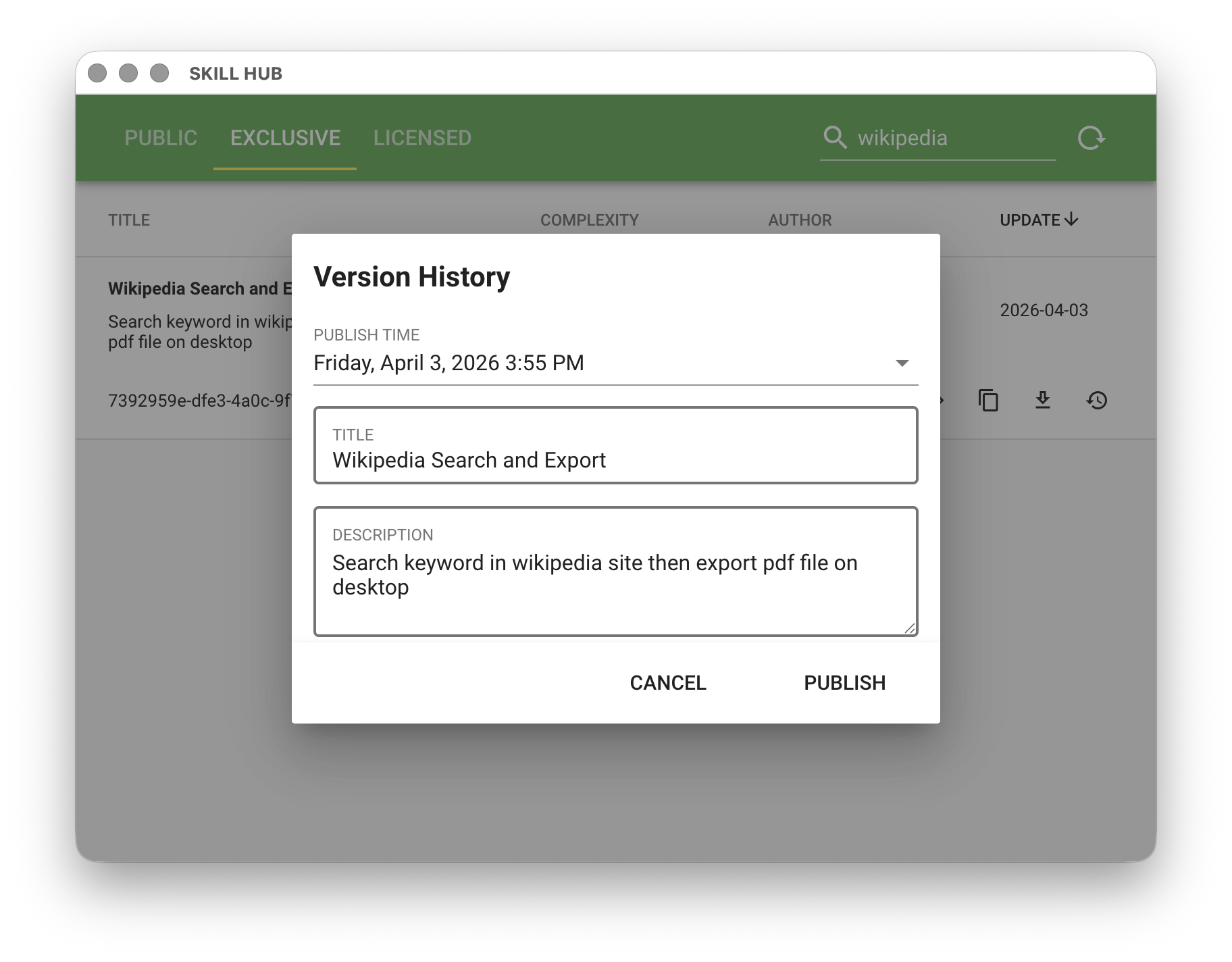
Usage Records
Time records of EMILY.RPA software usage and skill execution are stored in the cloud for auditing purposes in the enterprise plan's group management dashboard. These access records are retained for one year, after which expired data is progressively destroyed.
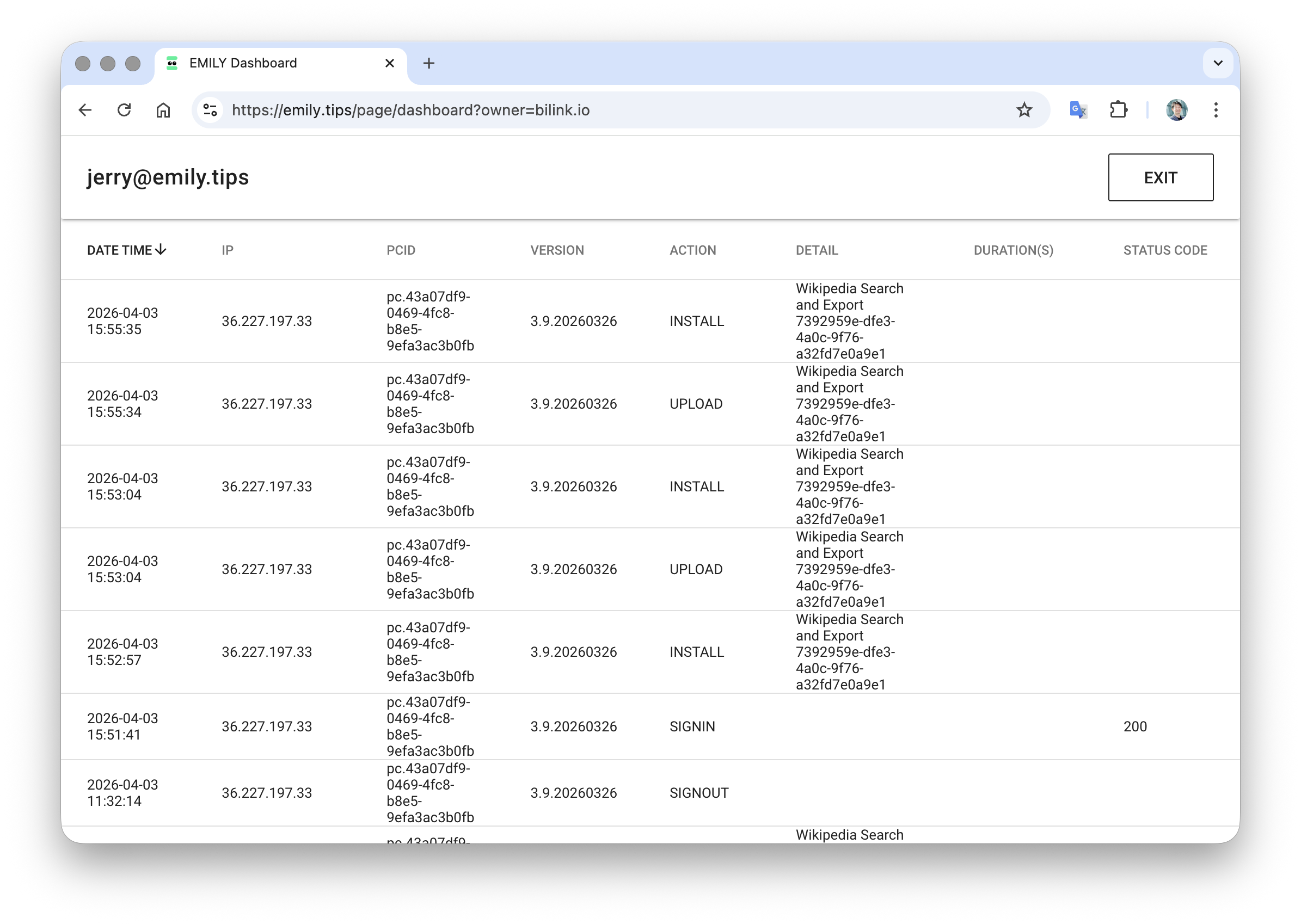
Data Protection in Skill Design
EMILY.RPA's design tools offer a high degree of flexibility, allowing users to build customized workflows according to their needs. Therefore, during the design process, it's important to remain vigilant about data protection to avoid accidentally leaking personal or sensitive data while designing or executing skills.
Isolating Command Parameters
EMILY.RPA "skills" are primarily composed of a sequence of workflow operation steps. For example, going to www.wikipedia.org, searching for a keyword, then downloading the search results and saving them as a PDF — this simple example would be a sequence of these steps: "Go to Wikipedia", "Load Wikipedia", "Enter keyword", "Press ENTER", "Load search results page", "Save results", "Export working folder".
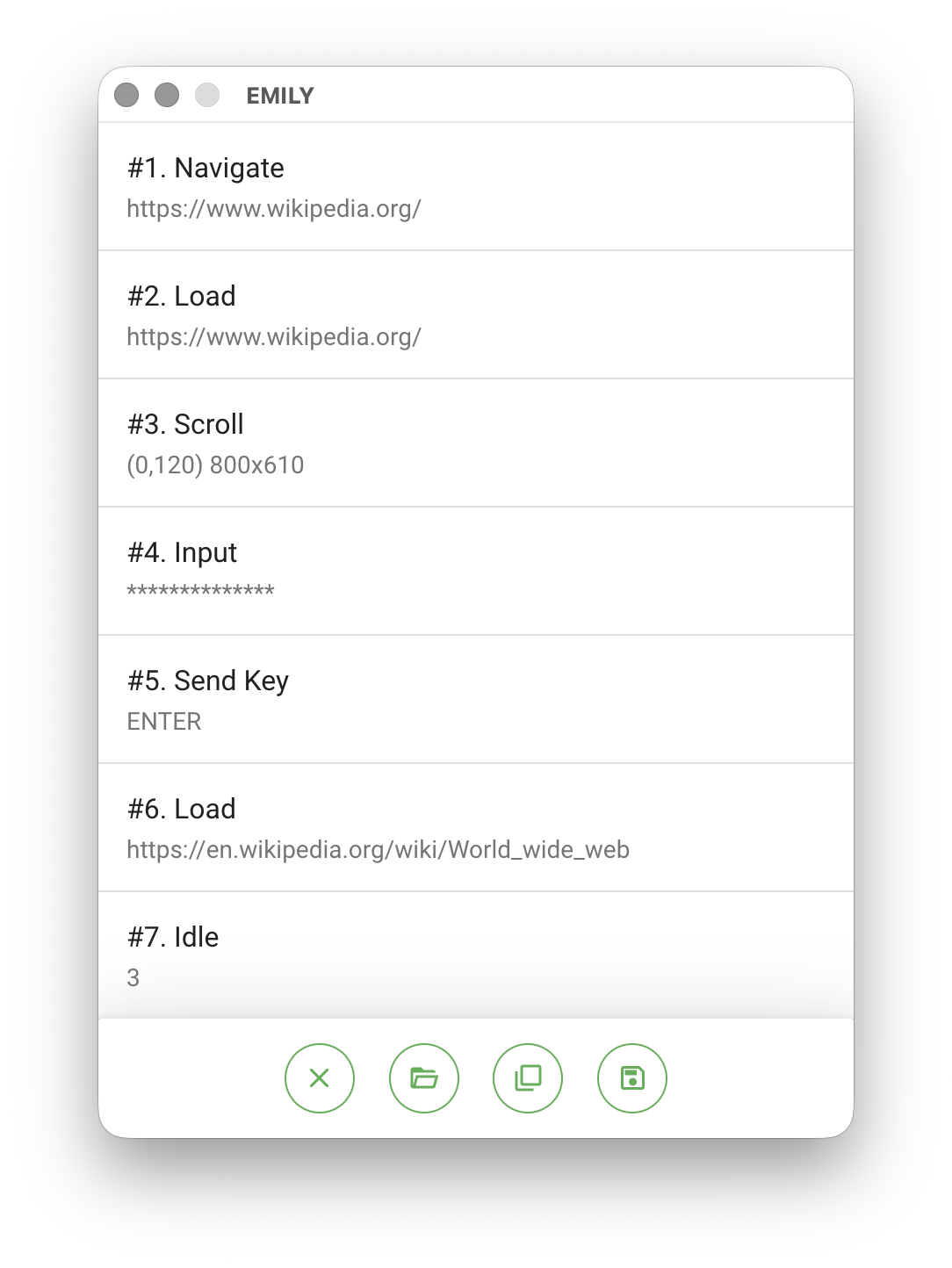
For the "Go to URL" command, the skill records the "Go to URL" command and the parameter https://www.wikipedia.org/. Similarly, the "Keyboard Input" command records the "Keyboard Input" command and the text string parameter world wide web. Therefore, when you click "Upload" after finishing skill design, EMILY.RPA sends this sequence of commands and parameters to the user's "Cloud Skill Hub" for backup, allowing users to download and execute them in the future without worrying about losing "skills" due to local software removal or computer reinstallation — users can even execute skills on a different computer.
Using the "Keyboard Input" example with the search keyword world wide web, if you want to change the keyword next time, you can use the "Adjust" skill function to modify the text parameter in the "Keyboard Input" step:
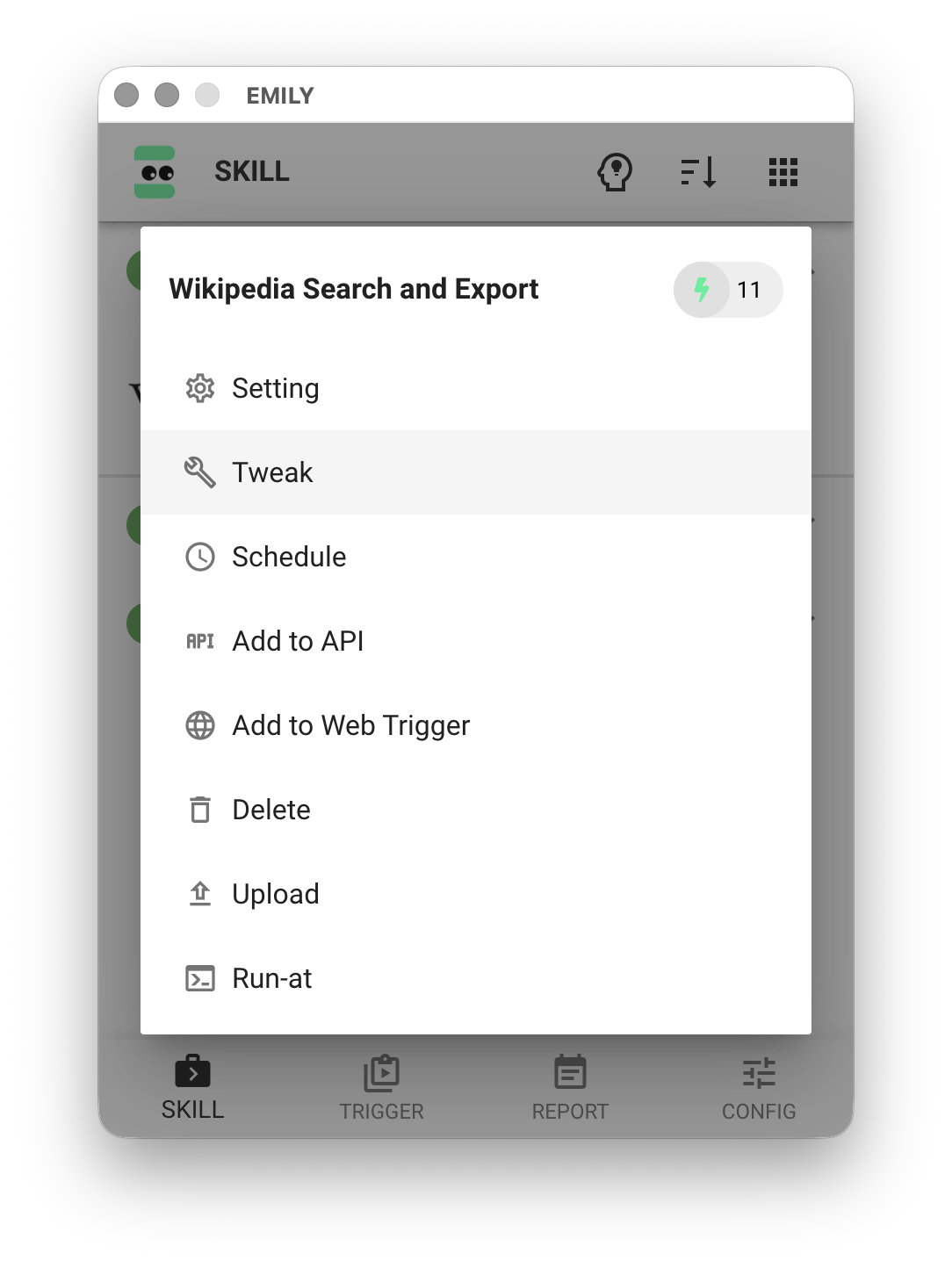
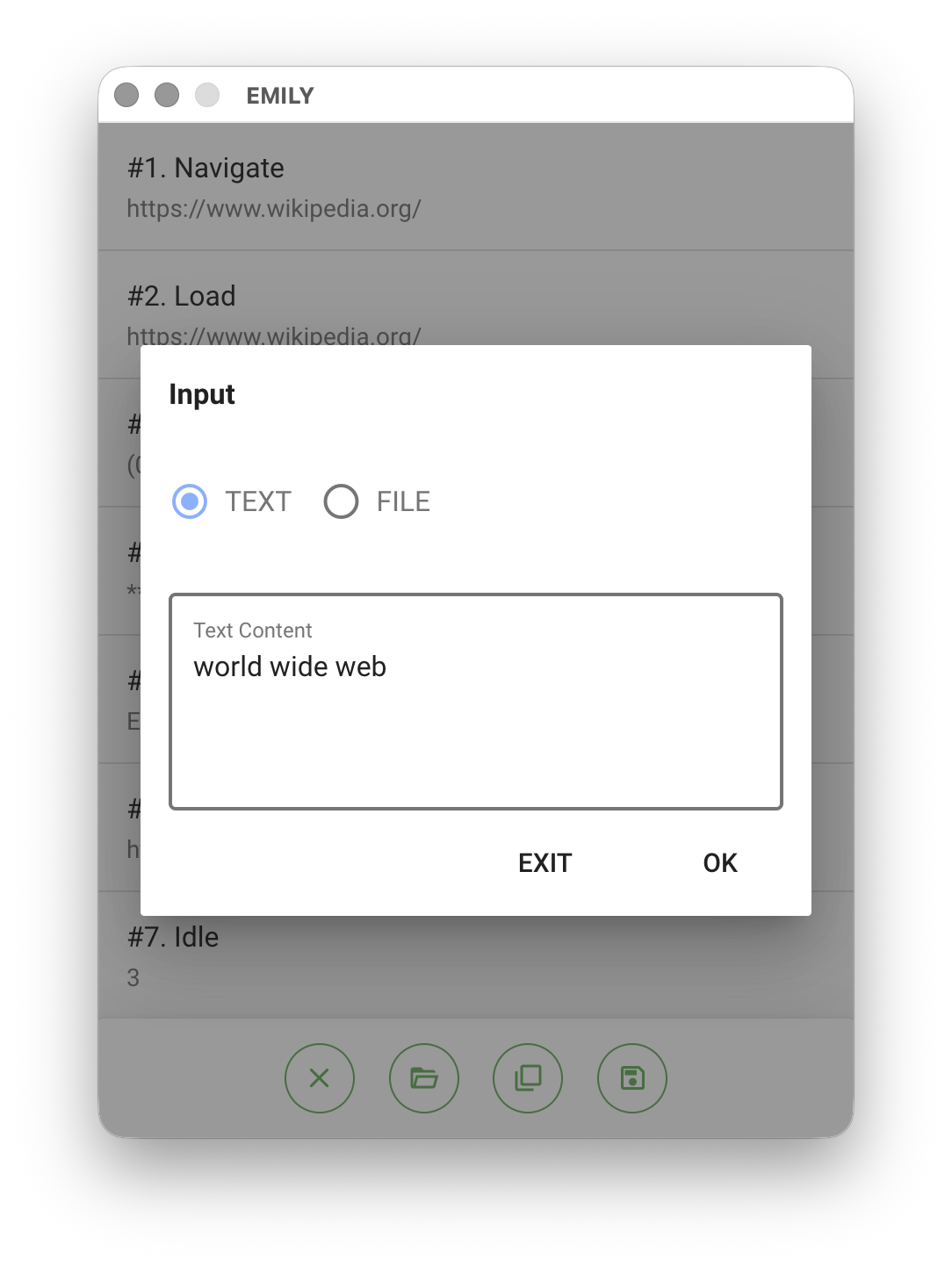
While this method achieves the goal, it inevitably requires readjusting and saving again when the keyword changes next time — not only lacking flexibility, but the keyword is also uploaded with the skill. Therefore, the recommended approach is to save the keyword locally as a parameter file, and have EMILY.RPA read the file content as the keyword only when executing the command.
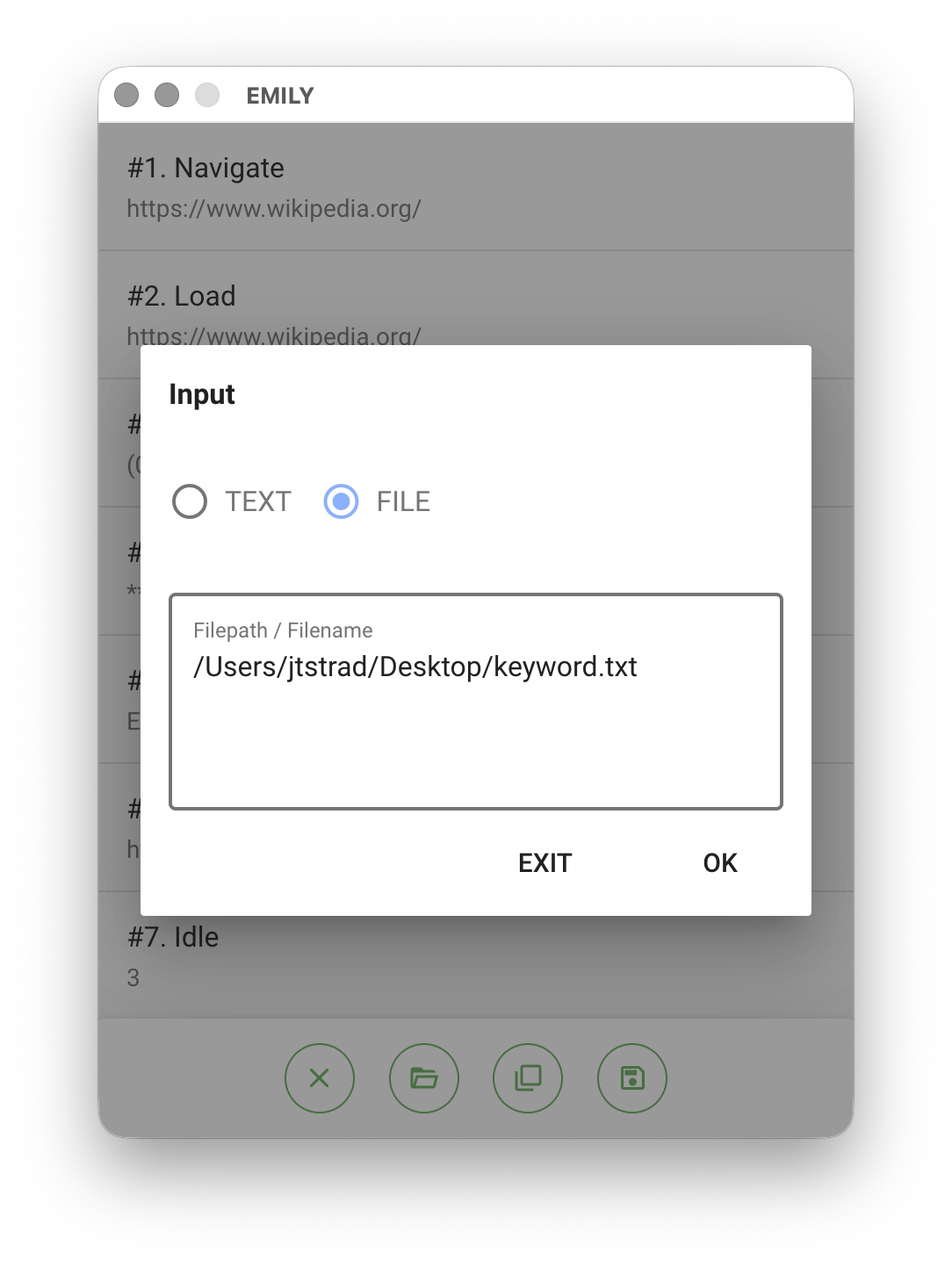
This way, what gets uploaded to the "Cloud Skill Hub" is the file path rather than the data itself.
Protecting Local Parameter Files
After isolating command parameters into local files, the data is no longer uploaded to the cloud. However, the parameter files can still be easily exposed to others who have access to the computer. EMILY.RPA provides an encryption function — click "Protect Text" in "Account Settings" to encrypt the keyword content that needs protection.
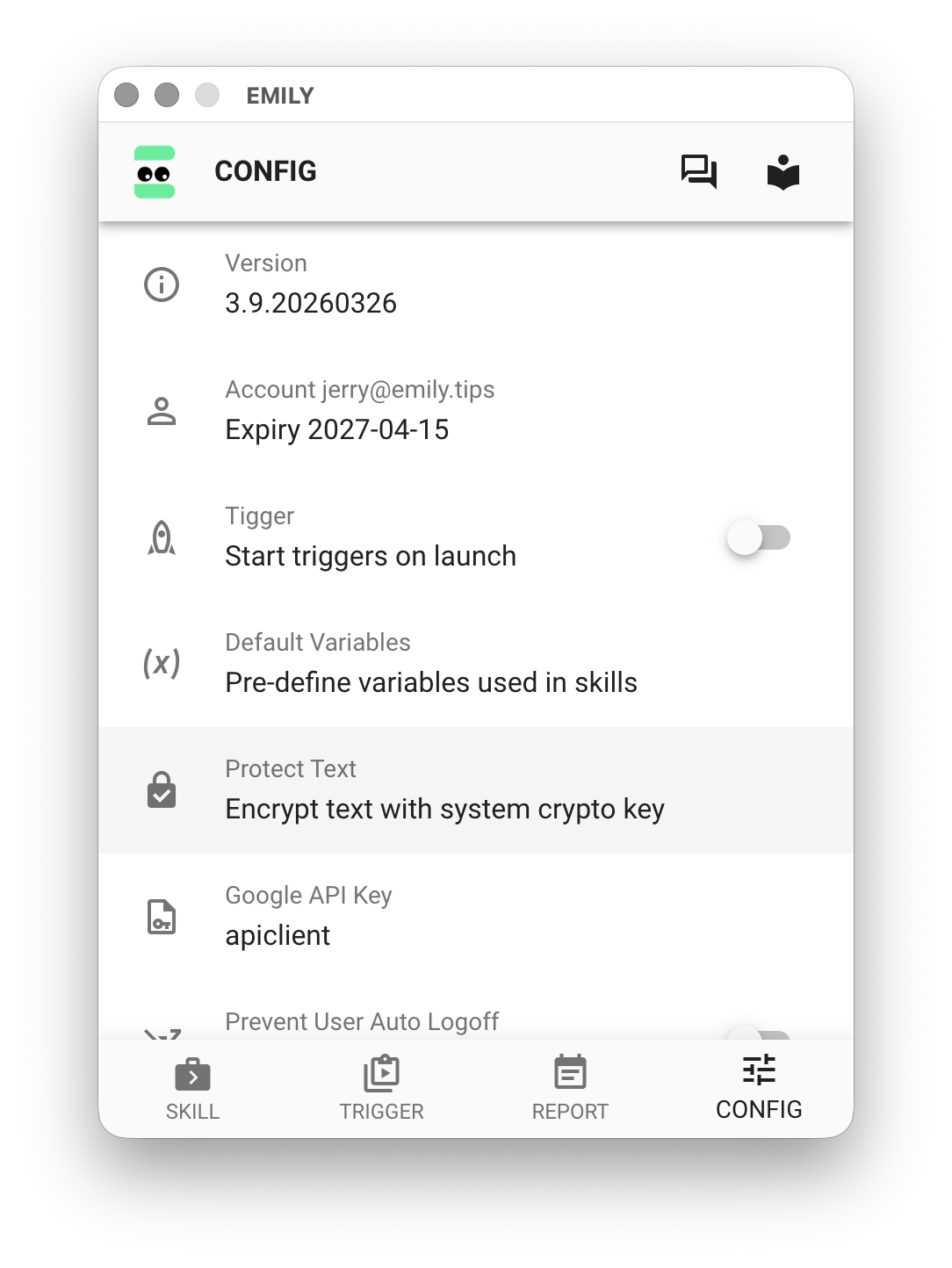
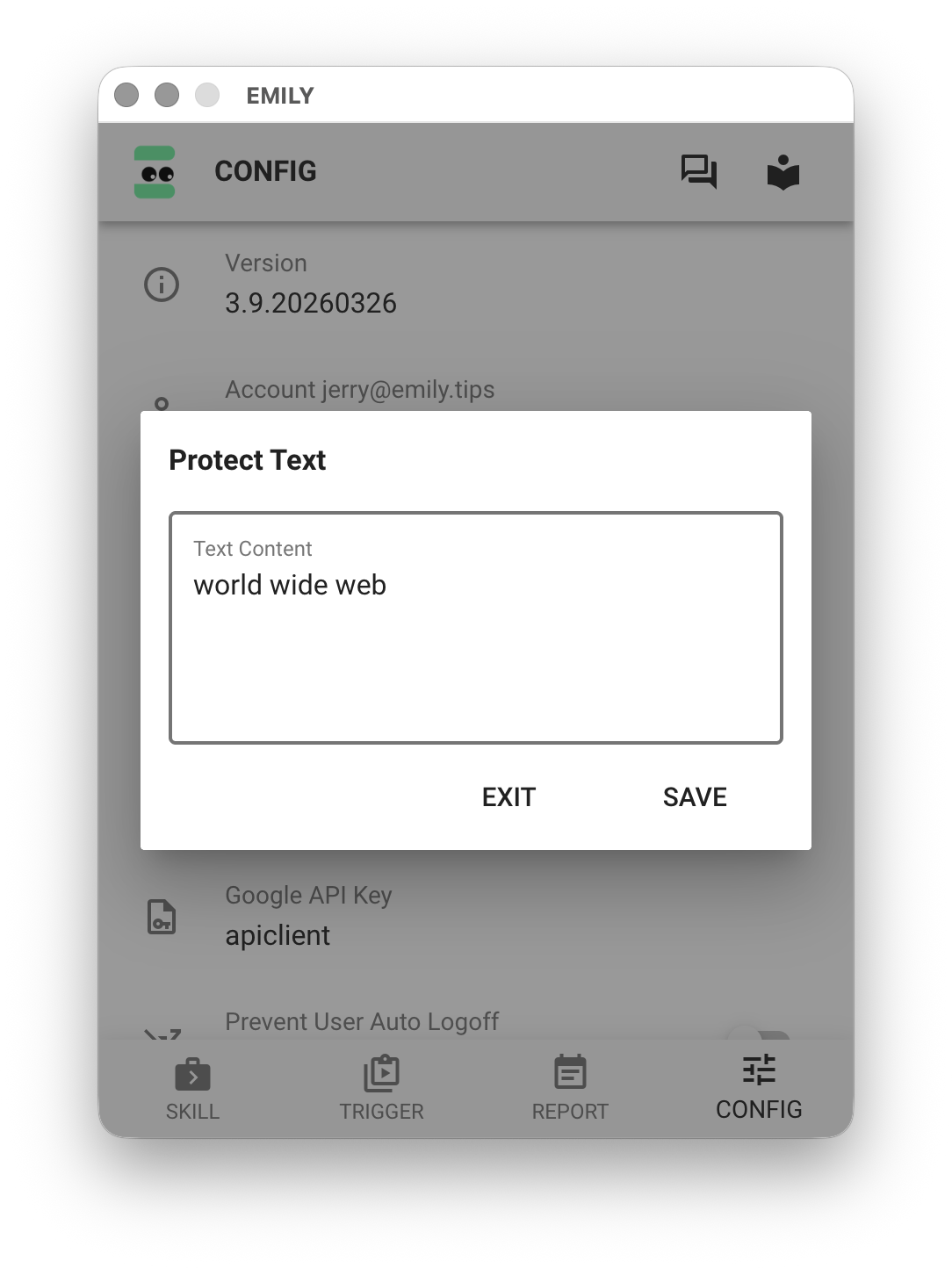
This way, when "saving" locally as the parameter file keyword.txt, the content is encrypted using the encryption key provided by EMILY.RPA for this computer. Only EMILY.RPA can decrypt it back to the original text when reading.
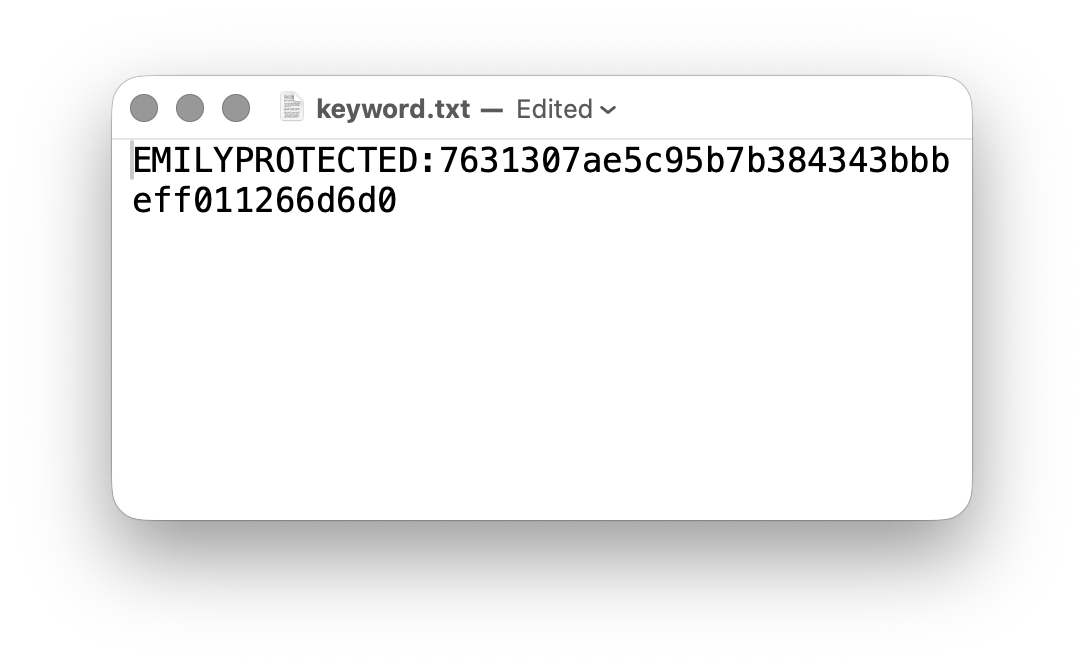
Ciphertext of "world wide web"
Automation Modules
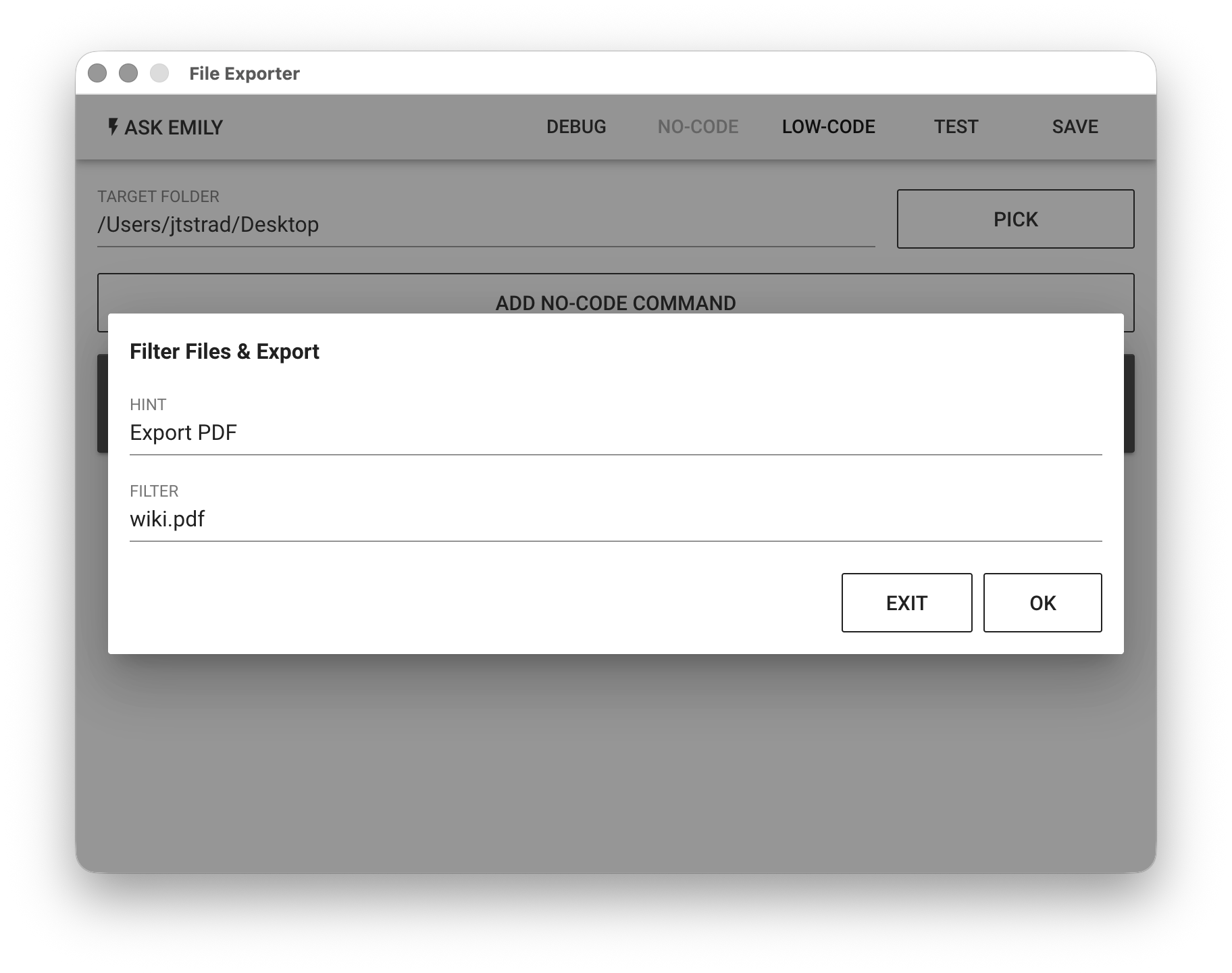
The parameters of automation modules include all No-Code parameters and Low-Code scripts. For example, with the "Export Working Folder" module in the demo skill, the export target folder path and No-Code command parameters are all uploaded with the skill. Therefore, FILTER can also consider using the %FILENAME% variable to isolate parameter content.
For the PowerShell module and Terminal Command Line module, since these two modules hand off scripts to the operating system's PowerShell and terminal command line for execution, they cannot be controlled by EMILY.RPA. Users should pay special attention when installing skills that contain these modules.
Data Transmission Security of the EMILY Public Cloud
The EMILY public cloud (https://emily.tips) is hosted on Google Cloud Platform (GCP), which provides the underlying protections of physical data center security, network isolation, and encryption at rest.
For data in transit, the EMILY public cloud always uses TLS 1.3 encryption and supports the post-quantum key exchange mechanism X25519MLKEM768. This is a hybrid key exchange combining the X25519 elliptic curve with NIST-standardized ML-KEM-768 (Kyber): even if future quantum computers become capable of breaking traditional elliptic curves, encrypted traffic recorded today still cannot be decrypted after the fact — effectively defending against "harvest now, decrypt later" attacks.
Verifying the Encryption Yourself
You can verify the transport encryption settings of the EMILY public cloud from your own machine with the openssl command (OpenSSL 3.5 or later is required for X25519MLKEM768 support):
openssl s_client -groups X25519MLKEM768 -alpn h2,http/1.1 \
    -connect emily.tips:443 -servername emily.tips </dev/null 2>&1 \
    | grep -i "Negotiated TLS1.3 group\|Protocol\|ALPN"
Under normal conditions, you should get the following result:
Negotiated TLS1.3 group: X25519MLKEM768
Protocol: TLSv1.3
ALPN protocol: h2
The three lines mean, respectively: the key exchange uses a hybrid post-quantum algorithm, the connection protocol is TLS 1.3, and the negotiated application-layer protocol is HTTP/2.
Vulnerability Scanning and Analysis
EMILY.RPA commissioned Dynasafe Technologies Inc. to perform third-party vulnerability scanning and security analysis on the security testing platform built in its R&D environment. Dynasafe's security testers first set up a test system environment according to EMILY.RPA's operational requirements and completed the deployment following the standard installation procedure, then launched a comprehensive vulnerability scan and performed a before-and-after comparison and overall analysis of the results.
Analysis Results
After a comprehensive analysis, the security consultants confirmed that:
- No exploitable security vulnerabilities or weaknesses were found in the system as a whole.
- No unauthorized external connections or service ports were exposed.
- Operating system protection mechanisms (firewall, service permissions, network isolation, etc.) were functioning normally.
The report concludes that installing EMILY.RPA introduced no new high-risk or exploitable vulnerabilities, that no security vulnerabilities or potential risks related to EMILY.RPA were found, and that the overall environment runs stably and securely.
Report Download
EMILY.RPA Vulnerability Scan Analysis Report (PDF, in Traditional Chinese, 2026-08-06)