PII Redaction
This module replaces personally identifiable information (PII) in text with placeholders on the local machine, so downstream modules can safely send the content to an LLM. Once the LLM result comes back, the same map is used to restore the placeholders to the original text. The whole pipeline has zero dependencies, is fully asynchronous, and never sends plaintext PII with any request.
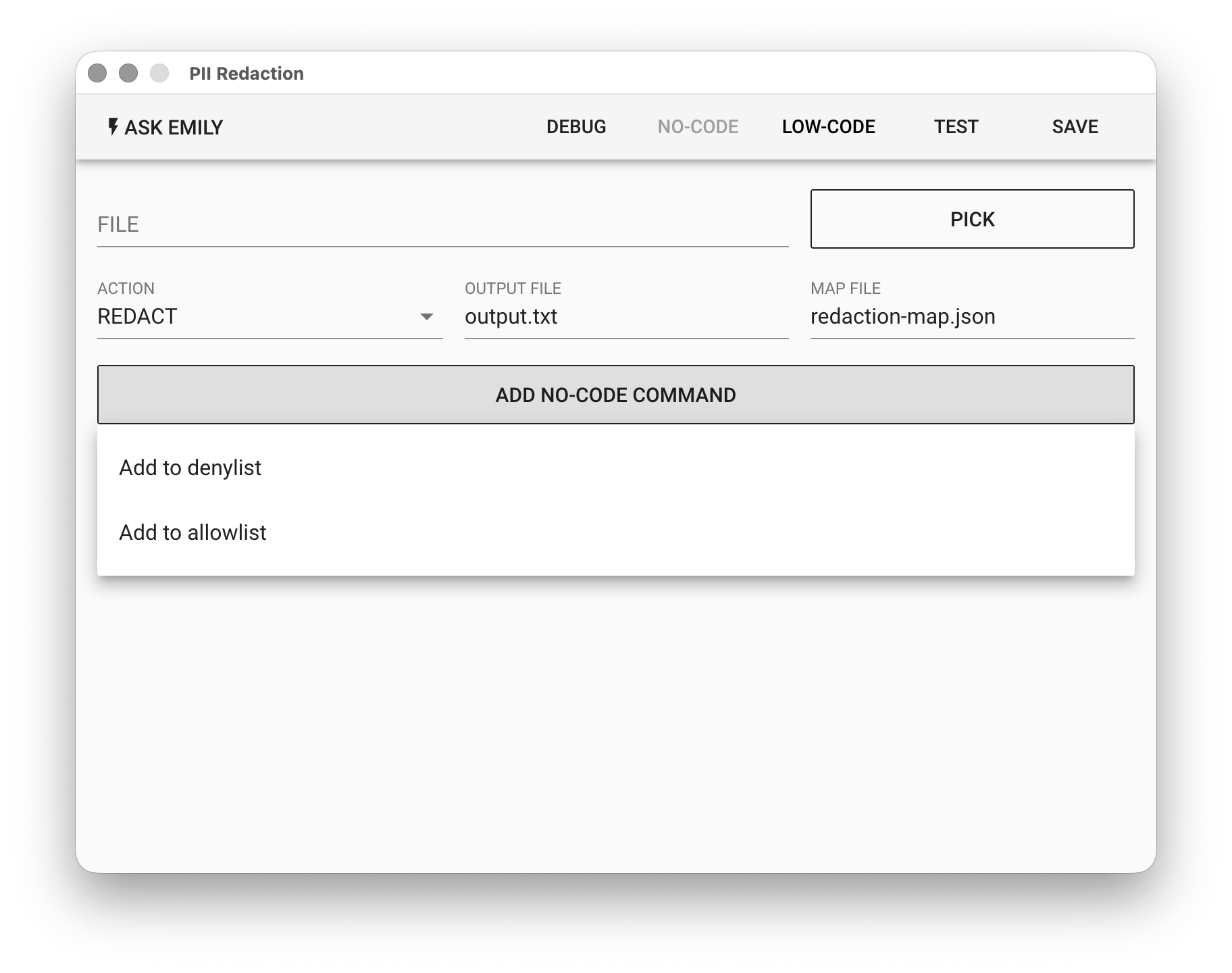
Parameters
FILE - Text input file. Click "PICK" to choose a file, type a file name in the working folder, or use the %FILENAME% variable. When ACTION is REDACT this is the original text to redact; when it is RESTORE this is the LLM response containing placeholders.
ACTION - The operation to run:
- REDACT - Detect PII in
FILE, replace it with placeholders, write the redacted text toOUTPUT FILEand the map toMAP FILE. - RESTORE - Read
MAP FILE, replace the placeholders inFILEwith the original text, and write the result toOUTPUT FILE.
OUTPUT FILE - Output file name, default output.txt, written to the working folder.
MAP FILE - Map file name, default redaction-map.json. Created by REDACT and read by RESTORE.
MAP FILE stores the raw, unprocessed personal data. If you no longer need to restore the text, simply delete this file.
No-Code Editor
Click "ADD NO-CODE COMMAND" to add the following no-code commands. They are recorded in the module's command list and applied to the detection rules at run time:
Add to denylist
The given string is guaranteed never to leak: it is matched exactly and replaced with {{BLOCKED_n}} wherever it appears. Use it for customer names, unannounced project code names, and other sensitive strings that a regex cannot catch.
Add to allowlist
The given string is never redacted, even if a rule matches it, for example your company's public support email or website URL. Use it to suppress known false positives.
Denylist entries are themselves sensitive data. If the skill file will be shared with others, make sure it contains no names that should not be disclosed.
Low-Code Editor
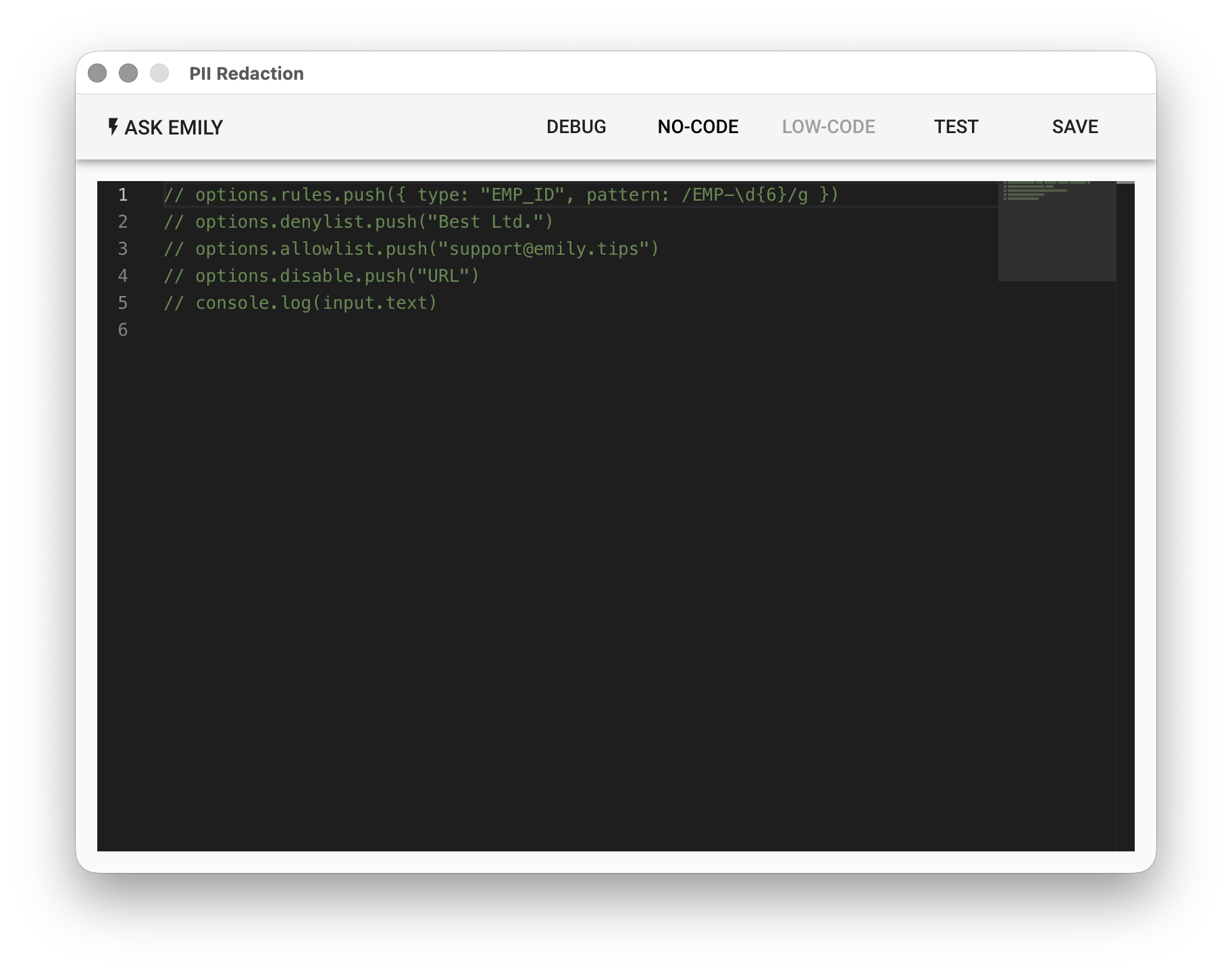
In the Low-Code Editor you can adjust the detection options directly. The script runs before redaction, which makes it the right place for rules that cannot be expressed with No-Code commands.
input Object
{
  text   // full text content of FILE
}
options Object
{
  patterns,   // built-in pattern sets to enable, e.g. ['tw', 'generic', 'financial']
  rules,      // array of custom rules
  denylist,   // denylist, same as the No-Code "Add to denylist" command
  allowlist,  // allowlist, same as the No-Code "Add to allowlist" command
  disable     // built-in types to turn off, e.g. ['URL']
}
Example:
// custom employee ID rule
options.rules.push({ type: 'EMP_ID', pattern: /EMP-\d{6}/g })

// denylist and allowlist
options.denylist.push('Best Ltd.')
options.allowlist.push('support@emily.tips')

// URLs are usually not PII; turn them off if they are too noisy
options.disable.push('URL')
Built-in Types
patterns controls which pattern sets are loaded. Enabling only ['tw'] really does load only the Taiwan rules.
| Set | Type | priority | Notes |
|---|---|---|---|
tw | TW_ADDRESS | 40 | Highest. Addresses contain digits and would otherwise be eaten by phone or GUI rules |
tw | TW_ID | 35 / 30 | With a "身分證:" label: priority 35, no checksum. Bare pattern: priority 30, checksum verified |
tw | TW_ARC | 30 | New format [A-Z][89]\d{8} and old format [A-Z][A-D]\d{8} |
tw | TW_MOBILE | 22 | |
tw | TW_TEL | 20 | |
tw | TW_GUI | 15 | Bare 8 digits, highest false-positive risk, checksum always verified |
generic | EMAIL | 30 | |
generic | URL / IPV4 | 25 | URLs are often not PII; use disable: ['URL'] if too noisy |
financial | CREDIT_CARD / IBAN | 30 | Luhn / mod-97 |
| — | custom rules | 50 (default) | Custom rules beat built-ins, which is the intuitive behavior |
Addresses have the highest priority: if a custom numeric rule does not fire, first check whether TW_ADDRESS has overridden it.
LITERAL and BLOCKED are reserved types and cannot be used by custom rules.
Core Invariant
restore(redact(x).redacted, redact(x).map).text === x
This holds for any input, any combination of rules, and any denylist, with no exception branches.
It works because detection runs on normalized text (full-width to half-width, zero-width characters removed), but replacement happens on the original input, and the map stores the original substrings. If the user types 0912-345-678, the restored text is still 0912-345-678; it is never silently converted to half-width.
There is only one redaction mode: the detected span is replaced entirely with a placeholder. No masking, no format-preserving redaction.
Denylist Matching Rules
Denylist entries are matched exactly against the normalized text (otherwise a full-width company name would be missed). Matching is case-insensitive by default, which only affects ASCII since CJK has no case.
"Highest priority" means guaranteed coverage, not first claim on the placeholder:
| Case | Result |
|---|---|
| Spans are identical | Denylist wins |
| Denylist span ⊃ other span | Denylist wins |
| Partial overlap | Denylist wins, the other span is dropped |
| Denylist span ⊂ other span | The larger span is kept |
The last row is deliberate. If the denylist contains "王小明" and the address rule catches the whole string "台北市信義區信義路五段7號 王小明 收", letting the denylist win would leave the address unredacted, so the highest priority would actually cause a leak. There is no "strict mode" because strictness here buys worse protection.
There is no wholeWord option. If you need word boundaries, write a regex in a custom rule. CJK has no word boundaries, so substring matching is the correct default.
Custom Rules
options.rules.push({
  type: 'CASE_NO',                       // must match /^[A-Z][A-Z0-9_]*$/
  pattern: /Case\s*(?:No\.?|#)\s*:?\s*(?<redact>\d{6,10})/g,
  priority: 60,
  validate: (m) => m.value !== '000000', // may be async
})
redactnamed group: if present, only that group is redacted; otherwise the whole match is. Use it when context is needed to confirm a match but should not be redacted along with it.- The
gflag is added automatically (without it only the first match is found), with a one-time warning. lastIndexnever leaks: the RegExp is cloned on every run, so consecutive runs with the same rule object give the same result.- A type that collides with a built-in fails fast. To replace a built-in, add it to
disable. patternmay be a string, so rules can come from a JSON config file. However, rules withvalidatecannot be serialized; rules that need validation logic must be written in the script.
Restore and Fuzzy Matching
Models mangle placeholders, so restore works in tiers. maxTier controls how far matching is relaxed:
| Tier | Handling | Default |
|---|---|---|
| 1 | Exact match | ✓ |
| 2 | Case-insensitive | ✓ |
| 3 | Full-width/half-width brace normalization ({{ to {{), one missing brace | ✓ |
| 4 | Braces optional (bare TW_ID_1 is accepted) | Must be enabled explicitly |
Guessing by index distance ≤1 is intentionally not implemented. Guessing {{NAME_2}} as NAME_1 restores the wrong person, which is far worse than not restoring at all, because users trust what they see on screen. The fail-safe for a failed restore is to leave the placeholder as is.
The expected / matched / orphaned values in the restore result are counts only, contain no PII, and are safe to report:
matched < expectedmeans the model swallowed a placeholder; the user should be warned that some content may not have been restored correctlyorphanedis non-empty when the model invented a placeholder of its own, usually by imitating the format
Both numbers tell you whether the instructions in the system prompt sent to the LLM are strong enough.
Placeholder Injection Protection
If the input itself contains {{NAME_1}} (pasted by the user, or maliciously crafted), restore would be steered by the input, which is an information leak. The module registers it as a LITERAL that maps back to itself:
Input:    My name is John Smith, see the {{NAME_1}} format for reference
Redacted: My name is {{BLOCKED_1}}, see the {{LITERAL_1}} format for reference
map:      { "{{BLOCKED_1}}": "John Smith", "{{LITERAL_1}}": "{{NAME_1}}" }
Restore is a single, non-recursive pass: the {{NAME_1}} produced by restoring {{LITERAL_1}} is not replaced again in a second round.
Typical Flow
- A "PII Redaction" module with
ACTIONset to REDACT redacts the user input intooutput.txtand saves the map asredaction-map.json. - An AI Agent or another LLM module reads
output.txtand produces the answer. - A second "PII Redaction" module with
ACTIONset to RESTORE,FILEpointing to the LLM answer file, andMAP FILEset to the sameredaction-map.jsonrestores the text into the final result.