Azure Form Recognizer
Use Azure cloud document intelligence service to extract text and table information from image files. The input is the result returned by Azure parsing. Requires version 2.2.20230211 or above.
Parameters
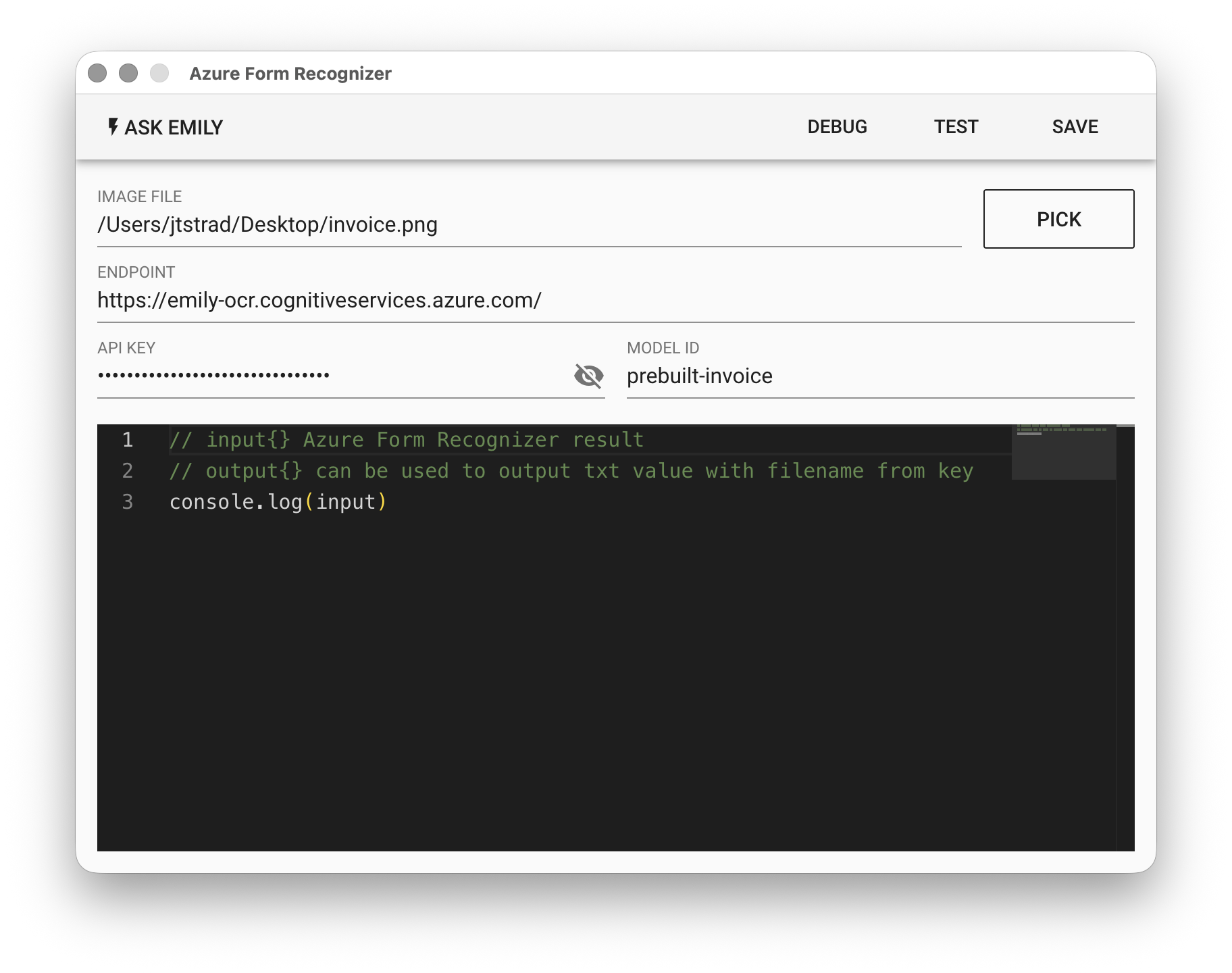
IMAGE FILE - The image input file, which can be in pdf / jpg / png format. Click "PICK" to select a file, type a filename from the working folder, or use the %FILENAME% variable.
ENDPOINT - The Form Recognizer service endpoint created in Azure.
API KEY - The Form Recognizer key created in Azure.
MODEL ID - Enter the Model ID trained in Azure. Available pre-built models include: prebuilt-layout, prebuilt-document, prebuilt-read, prebuilt-invoice, prebuilt-receipt, prebuilt-idDocument, prebuilt-businessCard, etc. For general purposes, you can try using prebuilt-layout. You can also use your own trained models. For details, please refer to this link.
Apply for Azure API Key
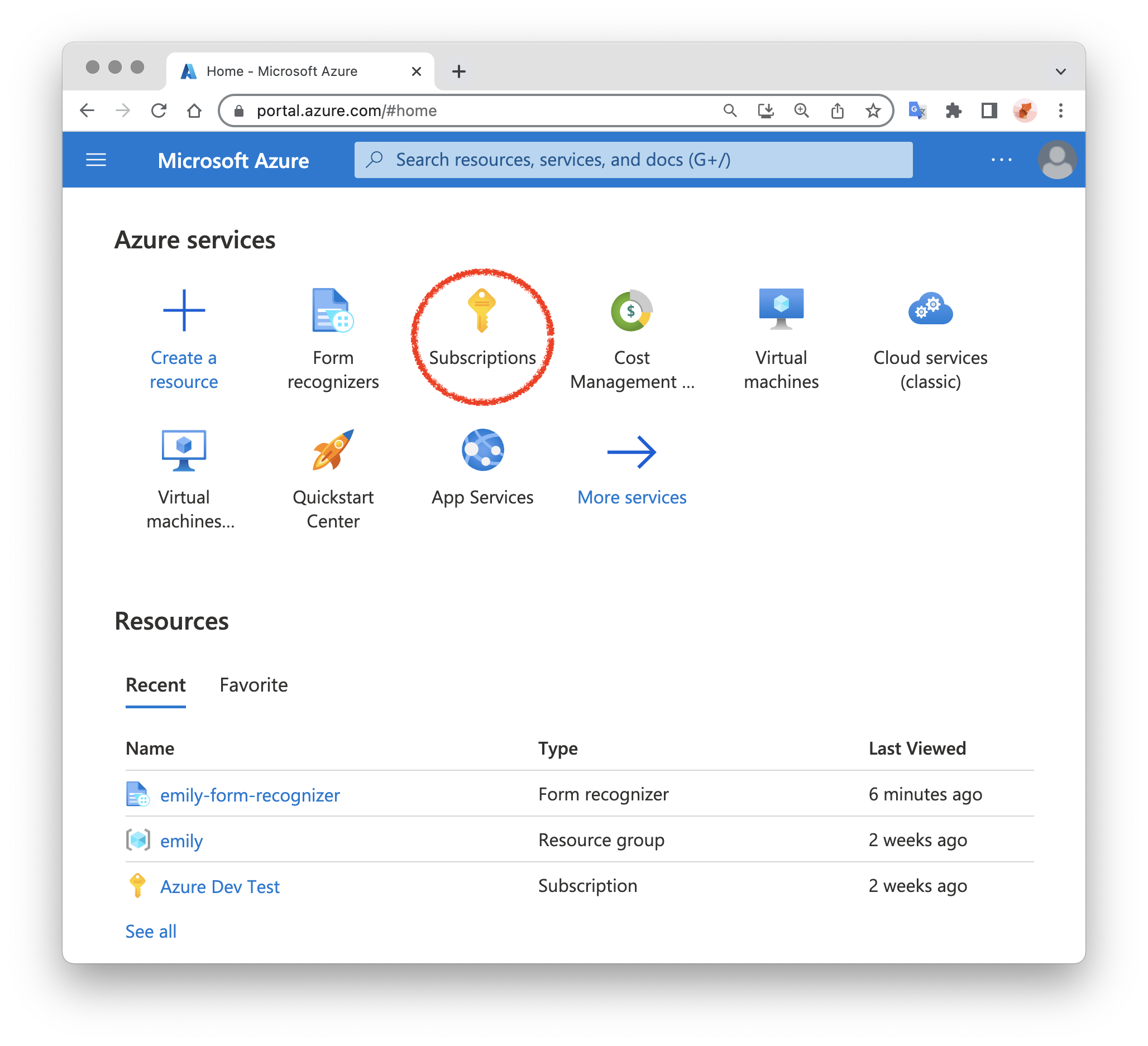
Before using this module, you need to create an account on Microsoft Azure and set up a Subscription:
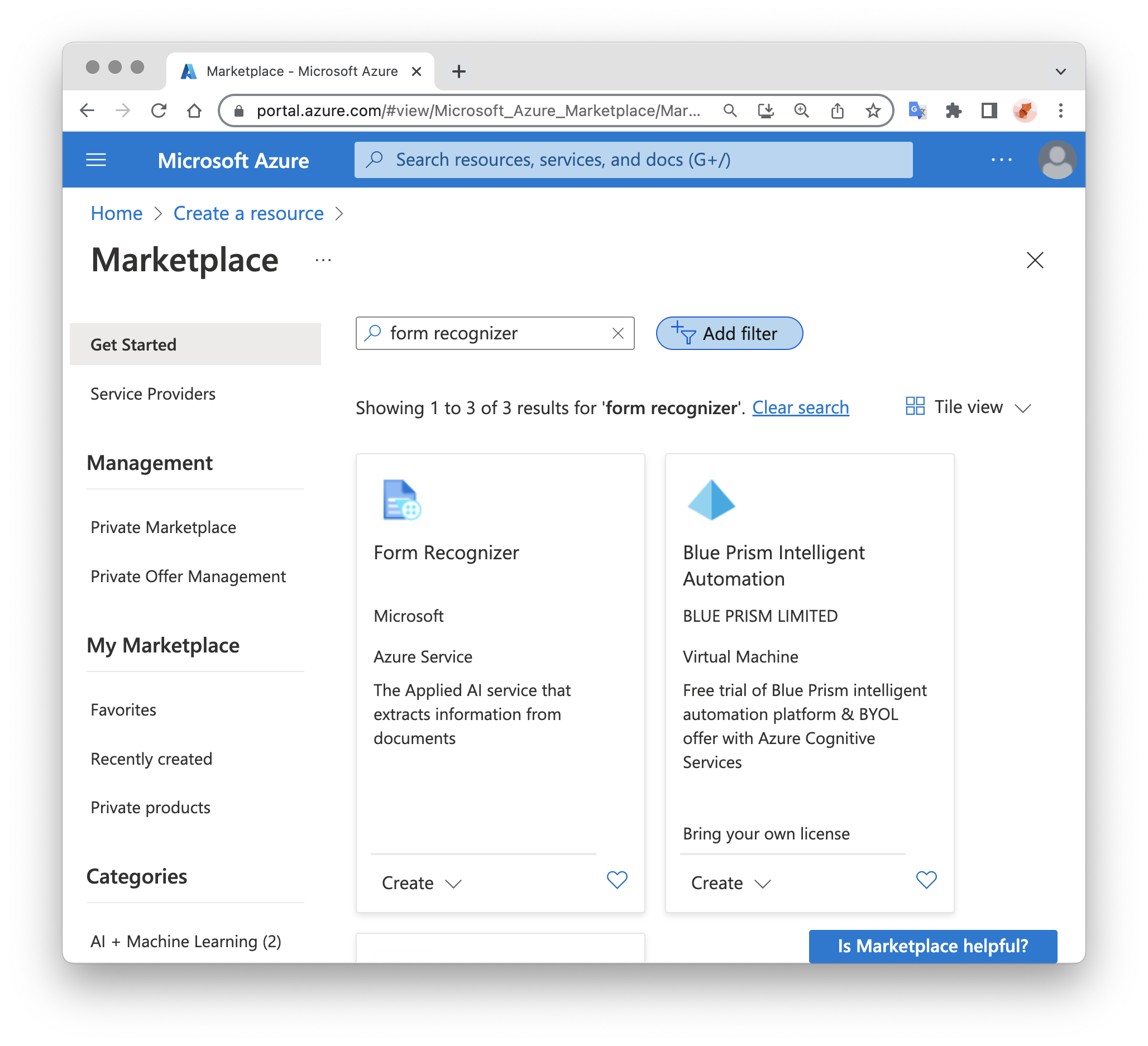
Then you can create a Form Recognizer. Generally, if this is the first Form Recognizer for this account, you can select F0 Free Tier, which allows free recognition of 500 pages per month:
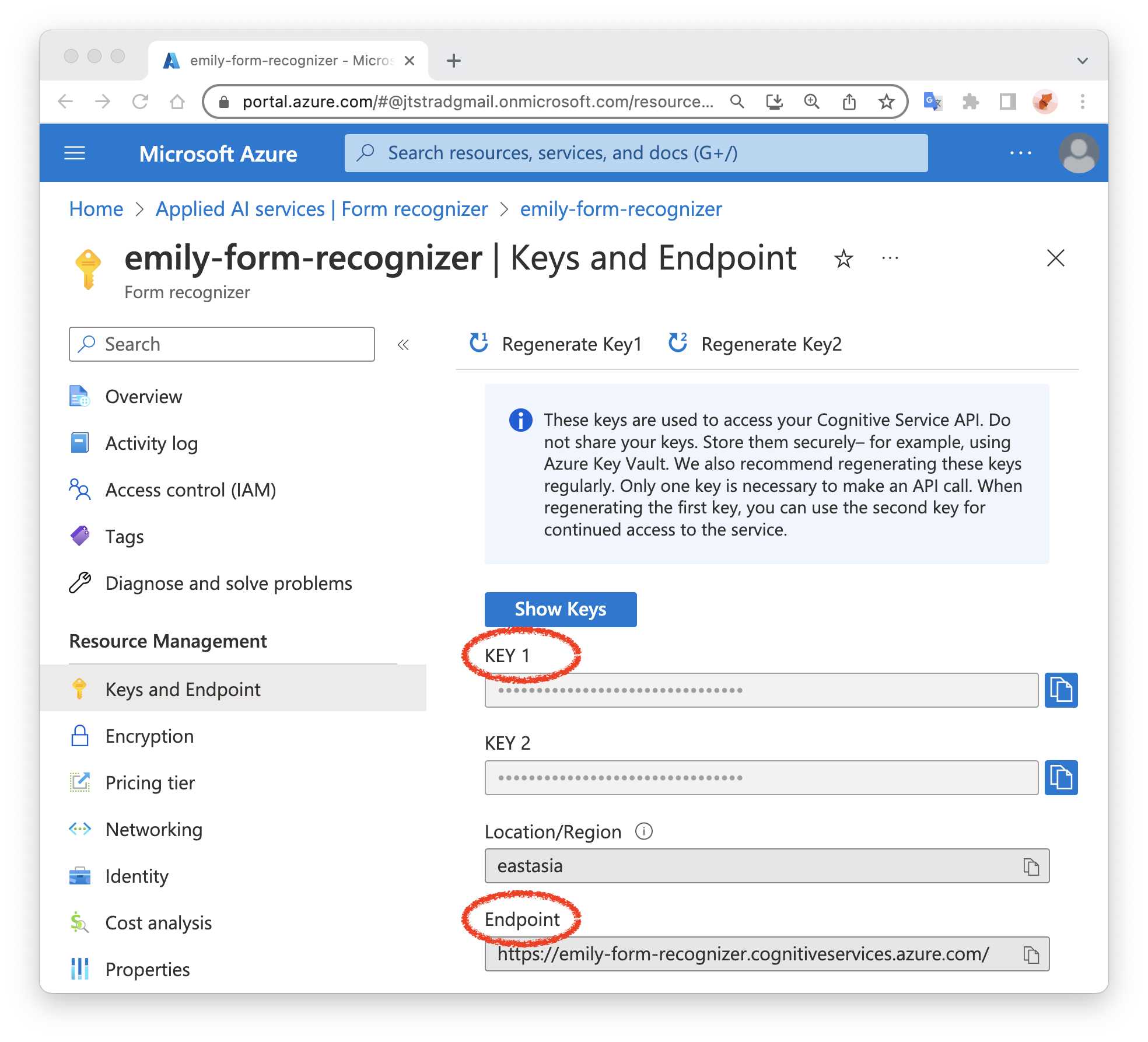
Finally, save the endpoint and key of the created Form Recognizer service for later use:
Low-Code Editor
input Object
The input is the recognition result returned by Azure OCR. You can refer to the Azure official documentation AnalyzeResult.
{
  content,      // Full text recognition string
  documents,
  pages,
  paragraphs,
  style,
  tables
}