Table Write Agent
Table Write Agent uses natural language to describe the task goal and autonomously edits information in a specified spreadsheet through a large language model (LLM). Note that larger goals make the language model more prone to misjudgment and consume more tokens — it is recommended to break tasks into smaller sub-tasks to reduce failure rates. If you're unfamiliar with how to prompt the language model to achieve task goals, use "Ask EMILY" to let the AI generate model-friendly goal prompts.
Parameters
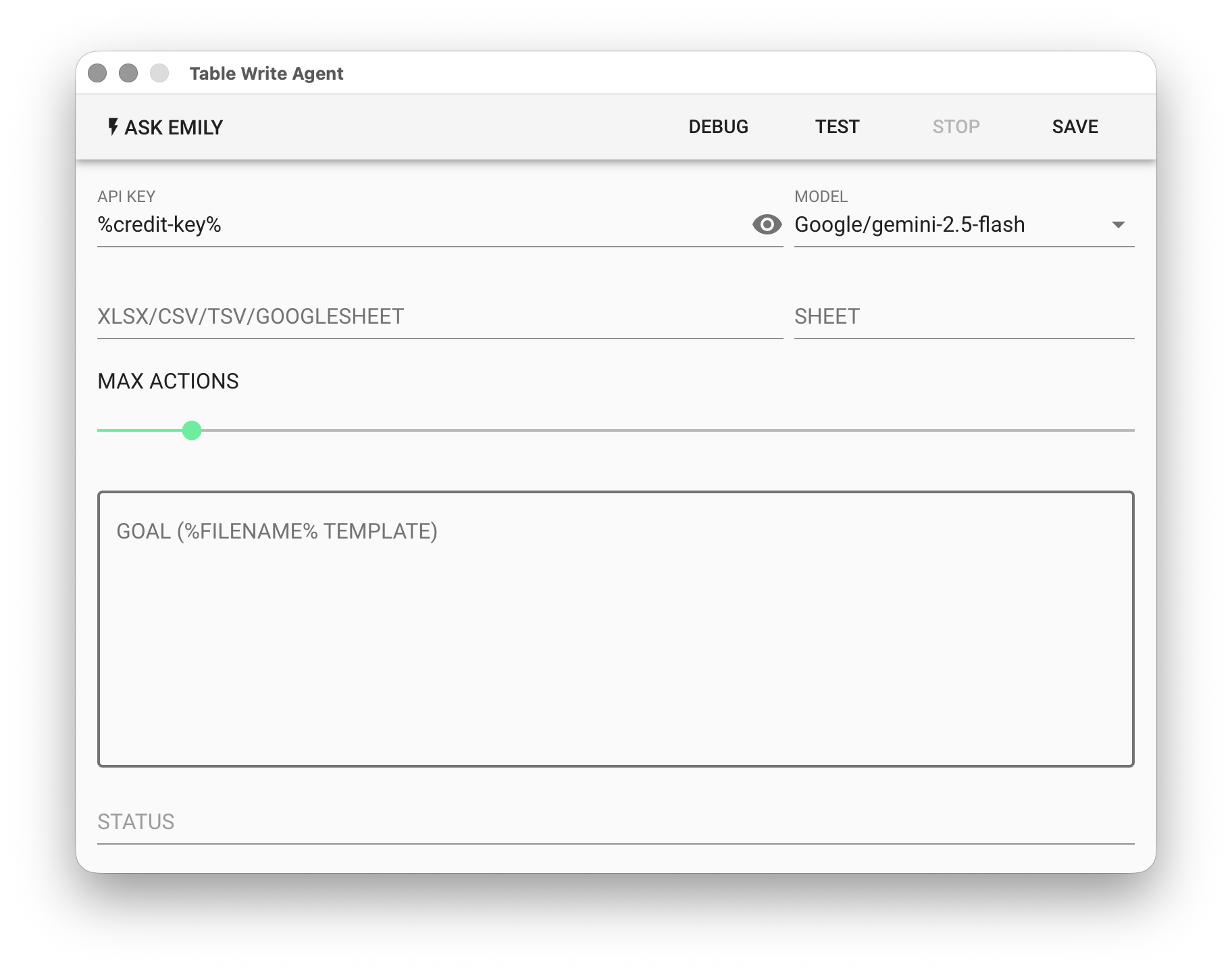
API KEY - OpenAI or Google API key. Supports the %FILENAME% variable, or use the prepaid dedicated key %credit-key%.
- For OpenAI API Key, refer to Apply for OpenAI Key
- For Google API Key, refer to Apply for Gemini Key
MODEL - Currently supported models:
| Platform | Models | Pricing |
|---|---|---|
| OpenAI | gtp-5, gpt-5-mini, gpt-4.1, gpt-4.1-mini | OpenAI Website |
| gemini-3-pro, gemini-3-flash, gemini-2.5-pro, gemini-2.5-flash | Gemini Website | |
| Anthropic | claude-opus-4-6, claude-sonnet-4-6, claude-haiku-4-5 | Anthropic Website |
XLSX/CSV/TSV/GOOGLESHEET - Input file. Click "PICK" to select a file, or use the %FILENAME% variable. In addition to the listed file formats, Google Sheets ID is also supported.
SHEET - Enter the worksheet name. Leave empty to use the first worksheet in the file.
MAX ACTION - Set the maximum number of actions the agent can perform, ranging from 1–100.
GOAL - Describe the task in natural language. Supports the %FILENAME% template.
STATUS - The next spreadsheet operation determined and executed by the model.
Example
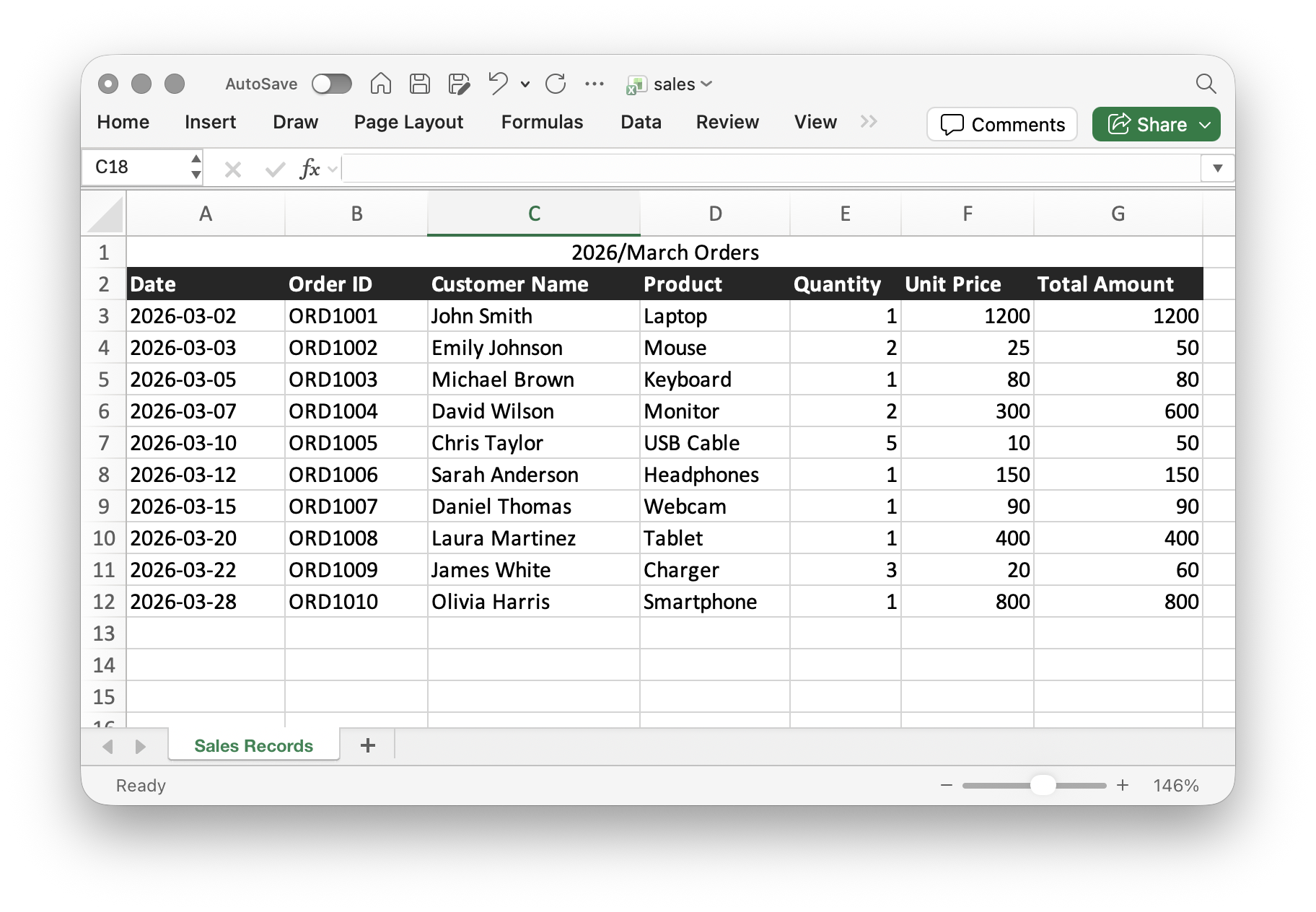
Using the following sales detail table as an example, the task is to modify the sales dates that meet certain conditions.
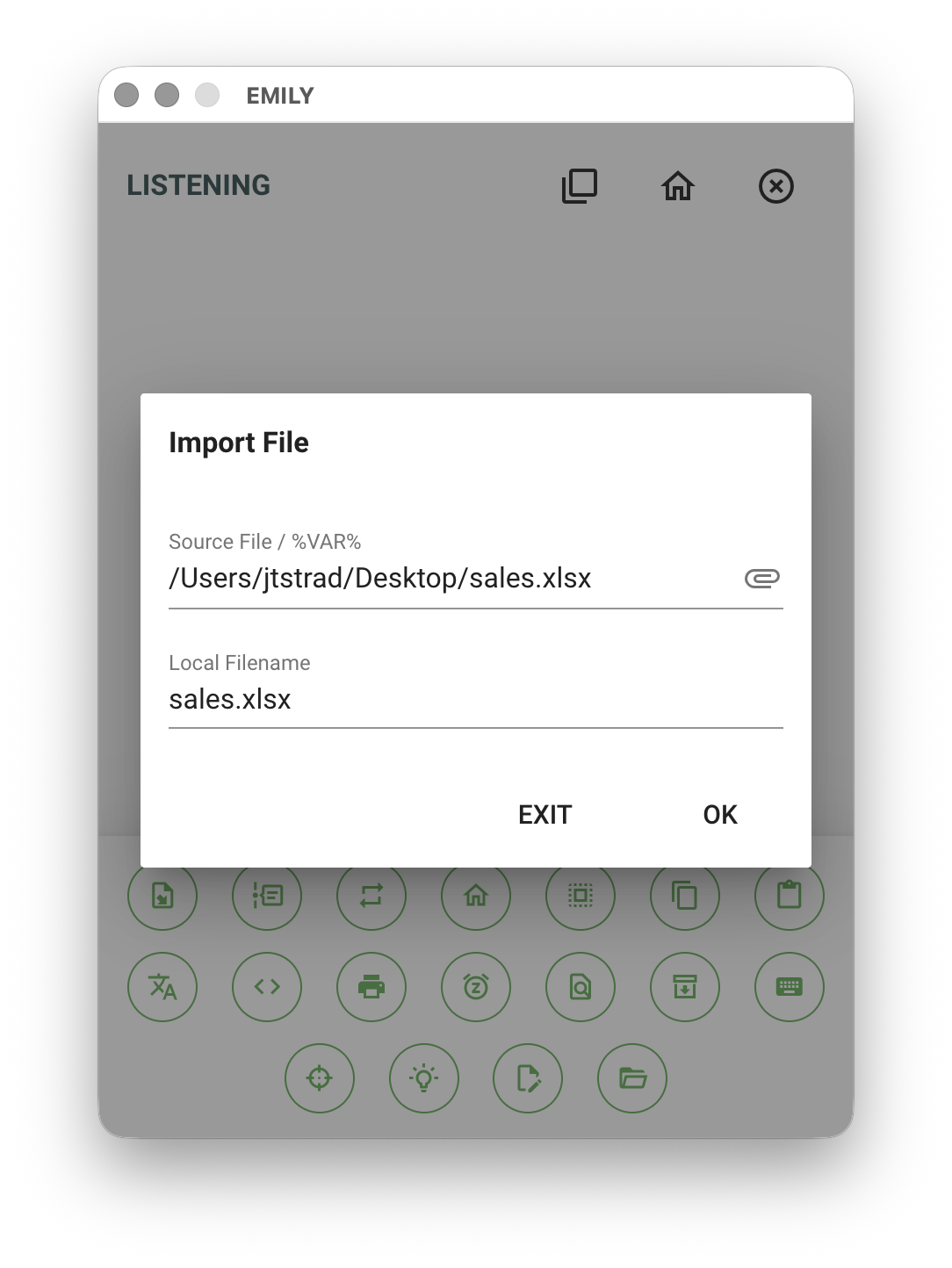
Import the sales detail spreadsheet file into the working folder.
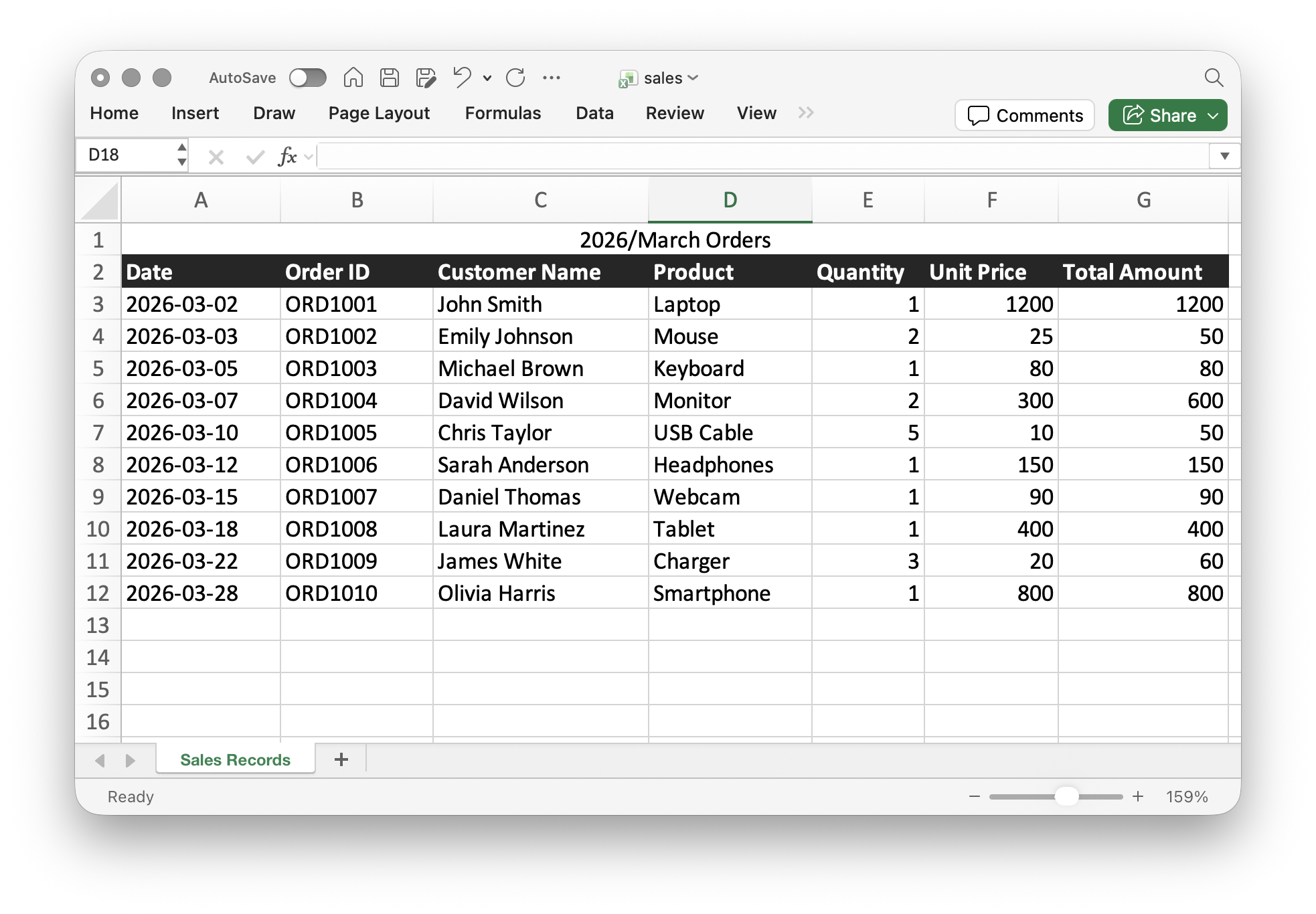
For the Table Write Agent, select the model Google/gemini-2.5-flash, enter the imported spreadsheet filename in the parameters, and use natural language to prompt the model: change date of the order on 2026-03-18 to 2026-03-20.
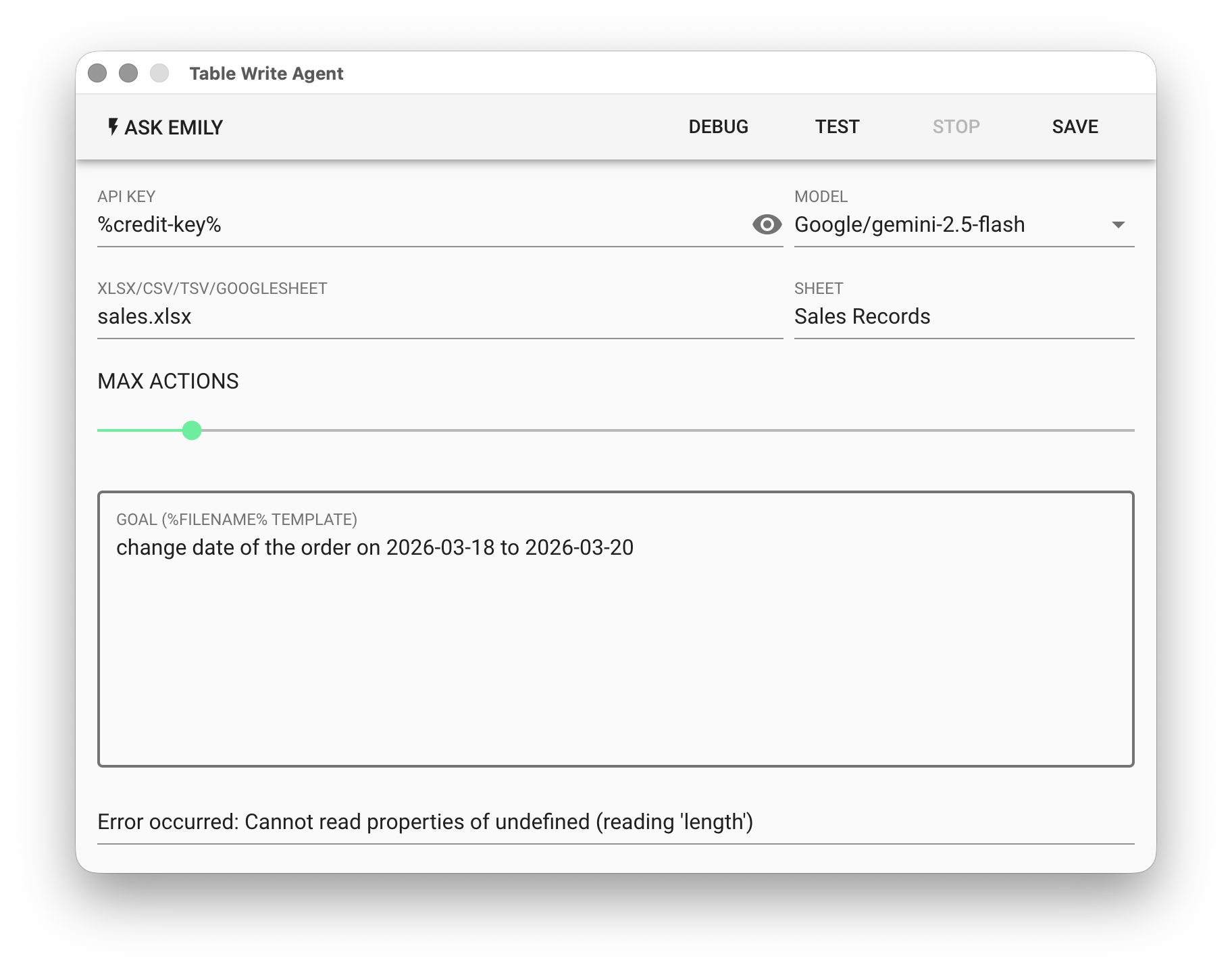
Finally, click "TEST" to try it out, then check whether the content of sales.xlsx in the working folder is correct.