File System Agent
File System Agent uses natural language to describe the task goal and autonomously operates on a specified folder in the file system through a large language model (LLM), including reading, writing, deleting files, and more. Note that larger goals make the language model more prone to misjudgment and consume more tokens — it is recommended to break tasks into smaller sub-tasks to reduce failure rates. If you're unfamiliar with how to prompt the language model to achieve task goals, use "Ask EMILY" to let the AI generate model-friendly goal prompts.
Parameters
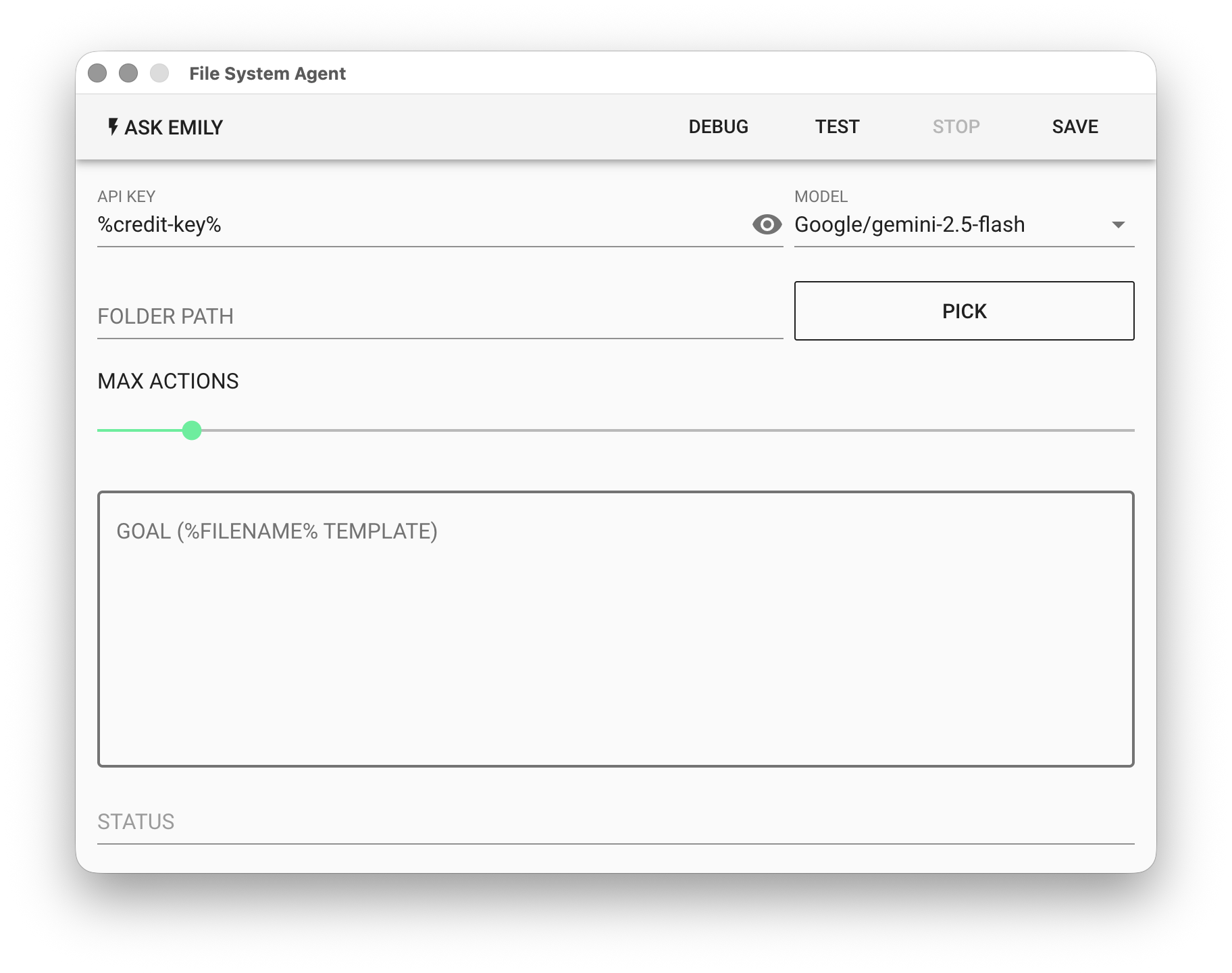
API KEY - OpenAI or Google API key. Supports the %FILENAME% variable, or use the prepaid dedicated key %credit-key%.
- For OpenAI API Key, refer to Apply for OpenAI Key
- For Google API Key, refer to Apply for Gemini Key
MODEL - Currently supported models:
| Platform | Models | Pricing |
|---|---|---|
| OpenAI | gtp-5, gpt-5-mini, gpt-4.1, gpt-4.1-mini | OpenAI Website |
| gemini-3-pro, gemini-3-flash, gemini-2.5-pro, gemini-2.5-flash | Gemini Website | |
| Anthropic | claude-opus-4-6, claude-sonnet-4-6, claude-haiku-4-5 | Anthropic Website |
FOLDER PATH - Target folder path. Click "PICK" to select, or use the %FILENAME% variable.
MAX ACTION - Set the maximum number of actions the agent can perform, ranging from 1–100.
GOAL - Describe the task in natural language. Supports the %FILENAME% template.
STATUS - The next file system operation determined and executed by the model.
Example
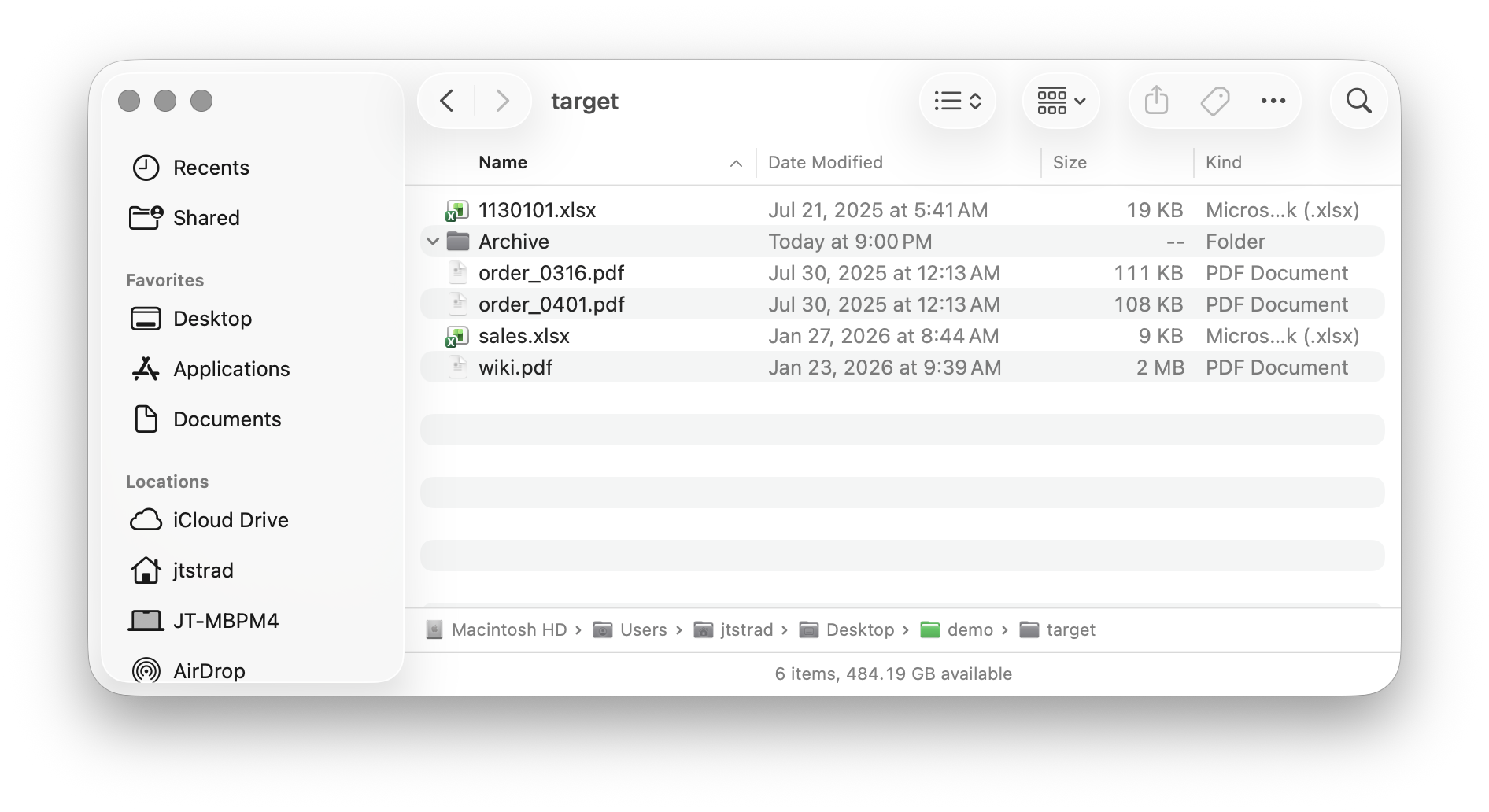
Using the following folder as an example, the task is to compress order files into ZIP format and save them in the "Order Archive" folder.
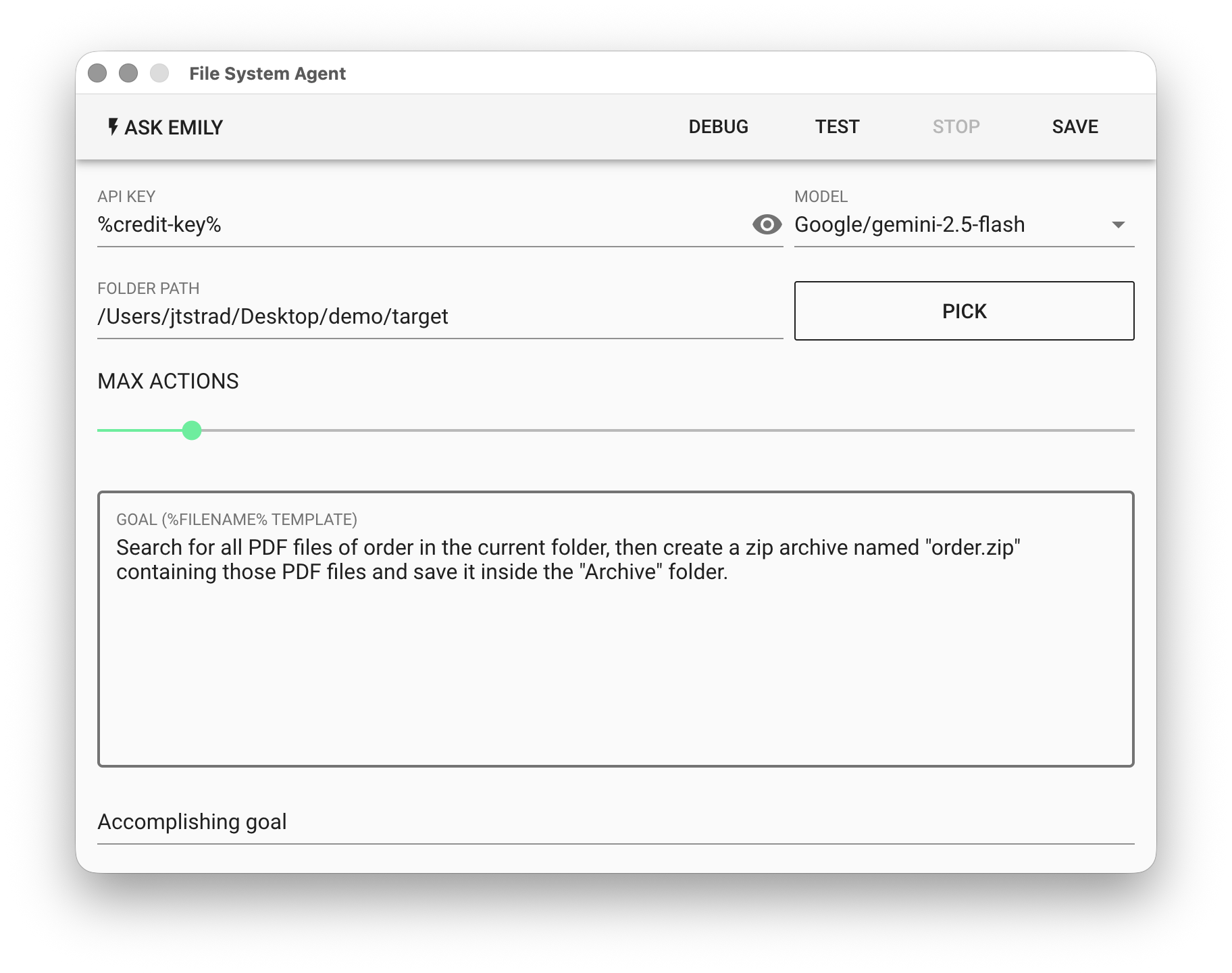
For the File System Agent, select the model Google/gemini-2.5-flash and use natural language to prompt the model: Compress the purchase order files into order.zip and output to the Archive folder.
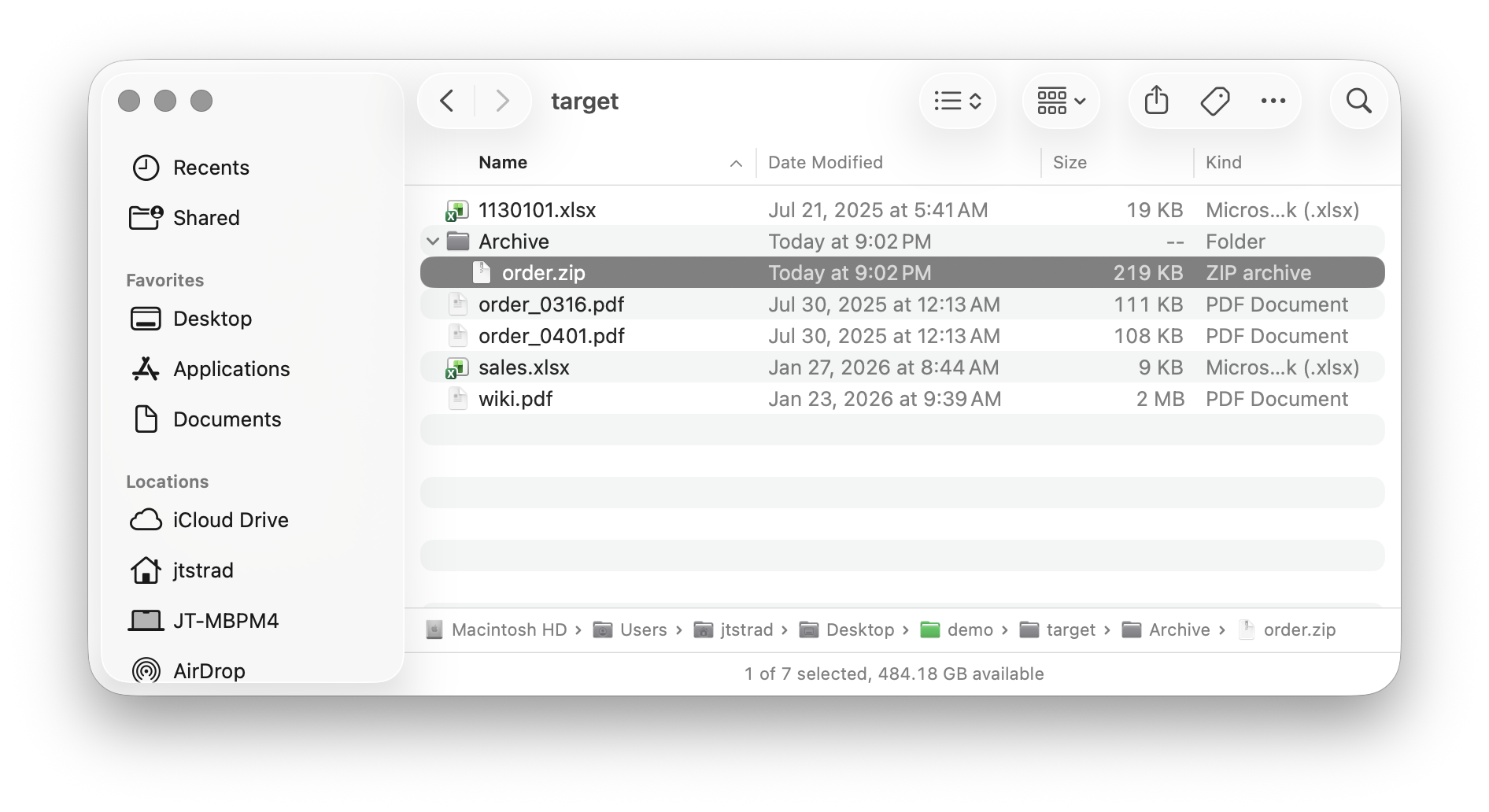
Finally, click "TEST" to try it out, then check whether the content of Archive/order.zip in the target folder is correct.