---
title: "Mail Sender"
description: "EMILY.RPA Mail Sender module: send email through a mail server over SMTP, with HOST, PORT and TLS/SSL parameter details."
source: https://docs.emily.tips/en/wap/smtp
---
# Mail Sender
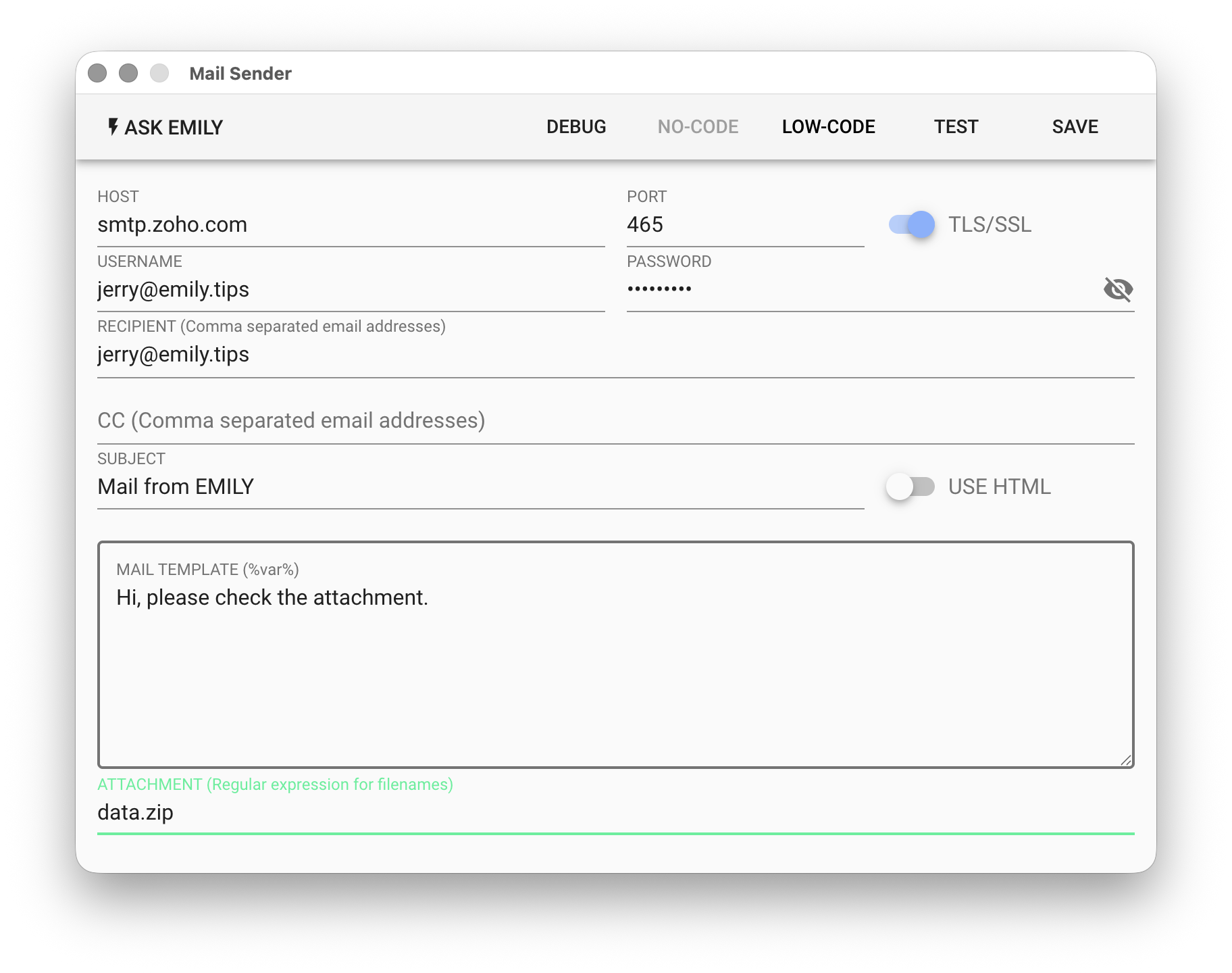
Connect to a mail server via SMTP protocol to send email. Mailbox configuration parameters depend on the email service or server being used.
## Parameters
**`HOST`** - SMTP mail server hostname, e.g. smtp.gmail.com.
**`PORT`** - SMTP mail server port number, default is the commonly used 465.
**`TLS/SSL`** - Whether the SMTP mail server requires TLS/SSL encryption.
**`USERNAME`** - The account name configured on the mail server. Supports the **%FILENAME%** variable.
**`PASSWORD`** - The account password configured on the mail server. Supports the **%FILENAME%** variable.
**`RECIPIENT`** - Recipient address. For multiple recipients, separate with commas. Supports the **%FILENAME%** template, for example:
```
alice@mail.com,bob@mail.com,%contact%
```
**`CC`** - Carbon copy address. Multiple recipients follow the same format as above.
**`SUBJECT`** - Email subject. Supports the **%FILENAME%** template.
**`USE HTML`** - Whether the email body template uses HTML syntax.
**`MAIL TEMPLATE`** - Email body template. Supports the **%FILENAME%** template.
```
Dear %user%
Thanks for subscribing %serviceName% service.
```
**`ATTACHMENT`** - Add specified attachments using a regular expression string: `invoice-[0-9]{3}\.jpg`
### EMBED IMAGE
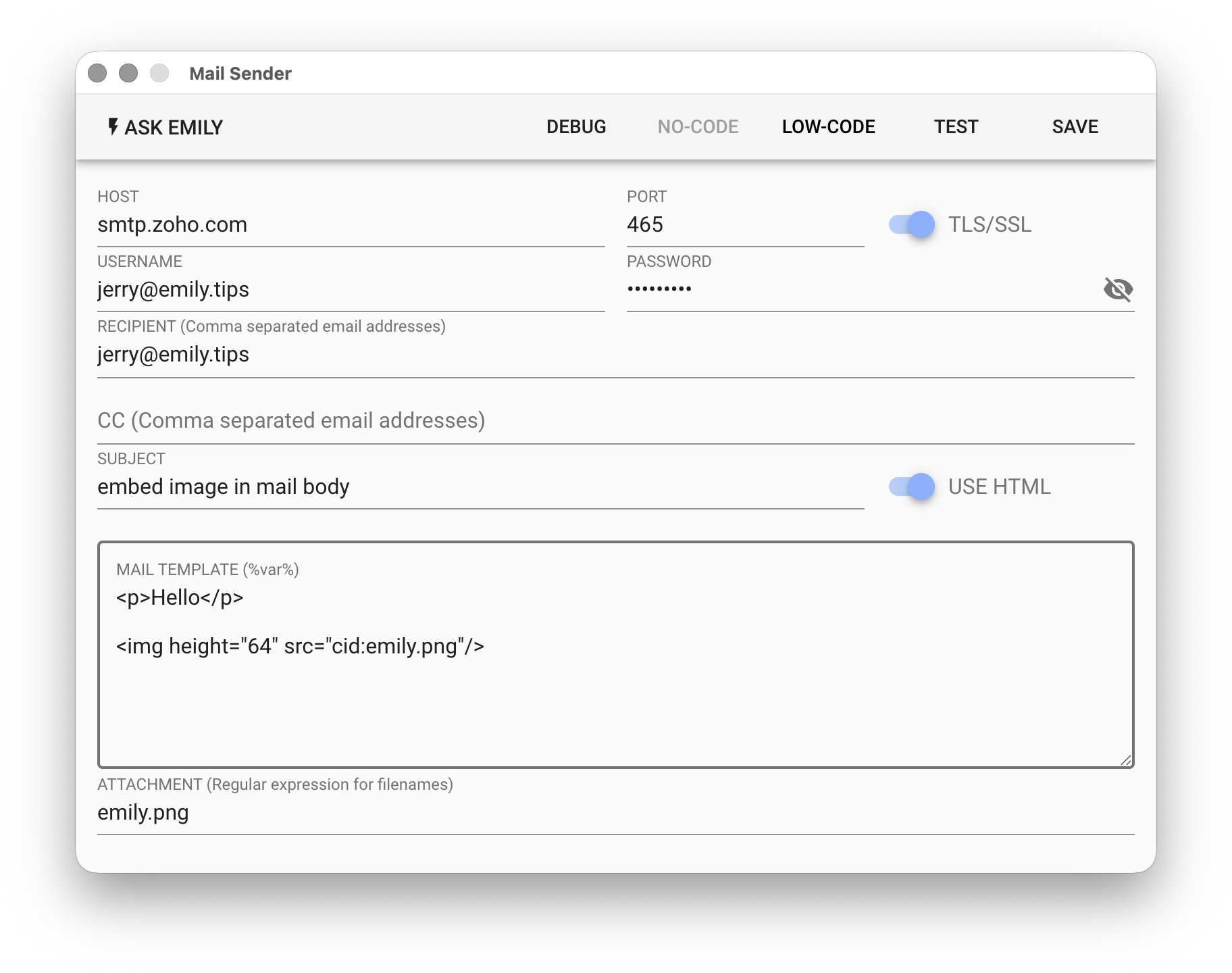
The email body must have USE HTML enabled. Add the image file as an attachment and reference it in the email body using an \![]() tag:
Note that in the \
tag:

Note that in the \![]() tag, the src attribute must use the `cid:` prefix to reference the attached image.
## Low-Code Editor
### input Object
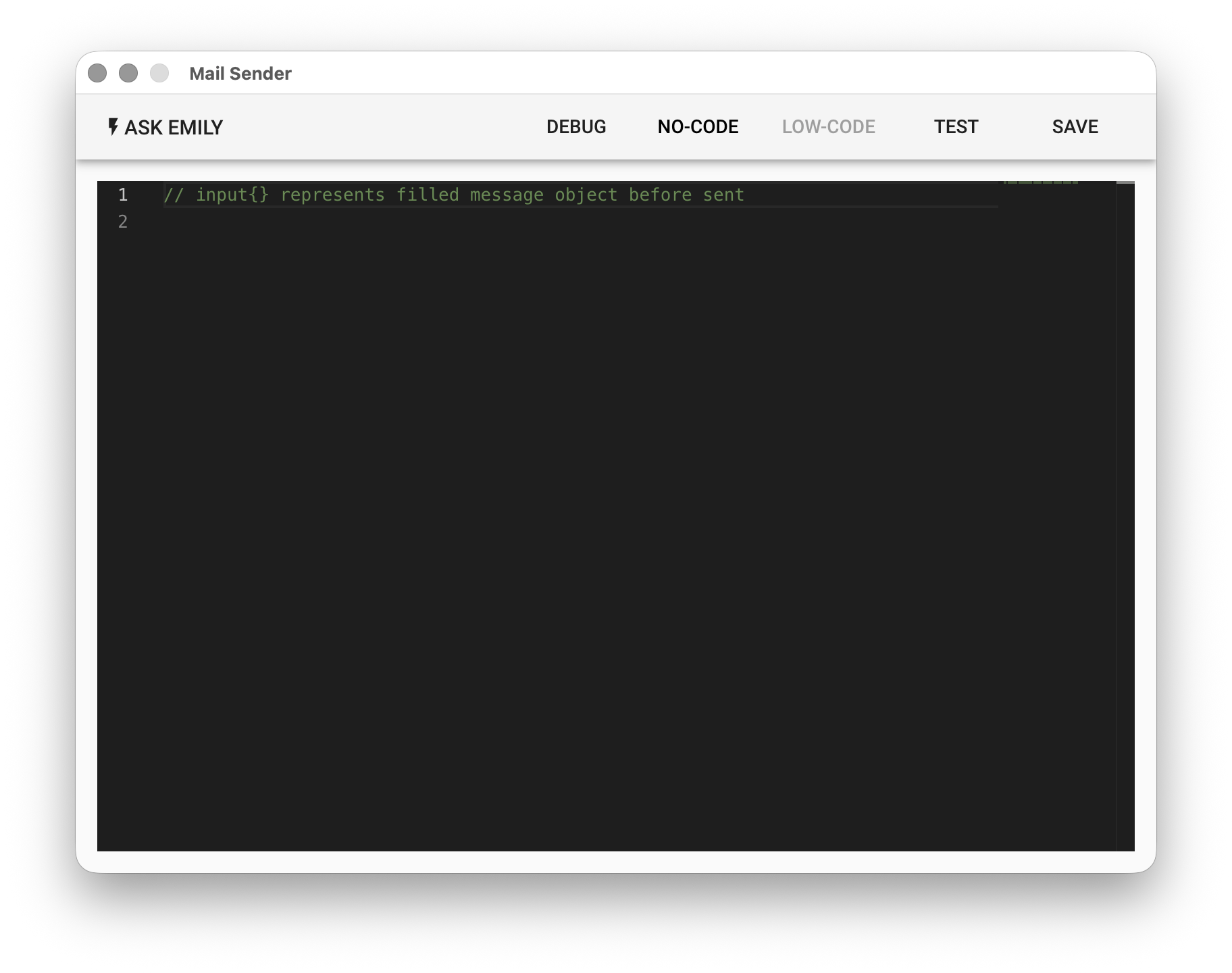
The input object contains the content filled in above. You can modify it here before sending.
```javascript
// Print the filled email content first, then modify before sending
console.log(input)
// Append a date to the body
input.text += `\n\n Sent on ${moment().format('YYYY-MM-DD')}`
// BCC to archive@company.com
input.bcc = 'archive@company.com'
```
tag, the src attribute must use the `cid:` prefix to reference the attached image.
## Low-Code Editor

### input Object
The input object contains the content filled in above. You can modify it here before sending.
```javascript
// Print the filled email content first, then modify before sending
console.log(input)
// Append a date to the body
input.text += `\n\n Sent on ${moment().format('YYYY-MM-DD')}`
// BCC to archive@company.com
input.bcc = 'archive@company.com'
```